Tuesday, 7 April 2015

MEGA CM12 Theme Engine Thread (ONLY FREE)

http://www.android-user.de/wp-content/uploads/2015/01/cm12-design-150x150.png 

 206 Free Themes

GUIDE: 
XXX=XXXXHDPI, XX=XXHDPI, X=XHDPI, H=HDPI, M=MDPI, T=TABLET, *=N/A


[XXX/XX/X/*/*/*] Dark Material [Chummy Development - nicholaschum] http://goo.gl/5I45bA
[XXX/XX/X/*/*/*] Blacked Out [Chummy Development - nicholaschum] http://goo.gl/5I45bA
[XXX/XX/X/*/*/*] Slimmed Dark Material [Chummy Development - nicholaschum] http://goo.gl/5I45bA
[XXX/XX/X/*/*/*] Slimmed Blacked Out [Chummy Development - nicholaschum] http://goo.gl/5I45bA
[XXX/XX/X/*/*/*] Azura [Chummy Development - nicholaschum] http://goo.gl/BGTlqt
[XXX/XX/X/*/*/*] Material Dark Orange [Chummy Development - Fahad Ali Javed] http://goo.gl/b6wlWM
[XXX/XX/X/*/*/*] Material Dark Indigo [Chummy Development - Fahad Ali Javed] http://goo.gl/kyaqzX
[XXX/XX/X/*/*/*] Material Dark Red [Chummy Development - Khizar] http://goo.gl/lrrAx0
[XXX/XX/X/*/*/*] Material Dark Blue [Chummy Development - Khizar] http://goo.gl/Fo86xG
[XXX/XX/X/*/*/*] Material Light Blue [Chummy Development - Khizar] http://goo.gl/nLgLtr

[XXX/XX/X/*/*/*] Nephilim Blue [R3Ds] http://goo.gl/AHy41P
[XXX/XX/X/*/*/*] Nephilim Red [R3Ds] http://goo.gl/AHy41P
[XXX/XX/X/*/*/*] Nephilim Green [R3Ds] http://goo.gl/AHy41P
[XXX/XX/X/*/*/*] Nephilim GoogleGray [R3Ds] http://goo.gl/AHy41P
[XXX/XX/X/*/*/*] Nephilim Purple [R3Ds] http://goo.gl/AHy41P
[XXX/XX/X/*/*/*] Nephilim Cocoa Brown [R3Ds] http://goo.gl/AHy41P
[XXX/XX/X/*/*/*] Nephilim Teal [R3Ds] http://goo.gl/TXxMLL
[XXX/XX/X/*/*/*] Nephilim Pink [R3Ds] http://goo.gl/TXxMLL
[XXX/XX/X/*/*/*] Nephilim Amber [R3Ds] http://goo.gl/TXxMLL

[XXX/XX/X/*/*/*] Urban Green [nofx161] http://goo.gl/CGfwOz
[XXX/XX/X/*/*/*] Urban Cyan [nofx161] http://goo.gl/MS02bl
[XXX/XX/X/*/*/*] Urban Purple [nofx161] http://goo.gl/vdxJoQ
[XXX/XX/X/*/*/*] Urban Holo [nofx161] http://goo.gl/T4n2is
[XXX/XX/X/*/*/*] Urban Blue [nofx161] http://goo.gl/YSesnC
[XXX/XX/X/*/*/*] Urban Red [nofx161] http://goo.gl/UOSuQ1
[XXX/XX/X/*/*/*] Urban Gold [nofx161] http://goo.gl/ZnniDT
[XXX/XX/X/*/*/*] Urban PasteLime [nofx161] http://goo.gl/xHkxwx

[XXX/XX/X/*/*/*] Colors Black [vikasb32] http://goo.gl/kQVWw8
[XXX/XX/X/*/*/*] Colors Green [vikasb32] http://goo.gl/kQVWw8
[XXX/XX/X/*/*/*] Colors Red [vikasb32] http://goo.gl/kQVWw8
[XXX/XX/X/*/*/*] Colors Blue [vikasb32] http://goo.gl/kQVWw8
[XXX/XX/X/*/*/*] Colors Purple [vikasb32] http://goo.gl/kQVWw8
[XXX/XX/X/*/*/*] Colors Dark Blue [vikasb32] http://goo.gl/kQVWw8
[XXX/XX/X/*/*/*] Colors Dark Green [vikasb32] http://goo.gl/kQVWw8

[XXX/XX/X/*/*/*] Flat Midnight [Tazzkiller] http://goo.gl/KIQvGq
[XXX/XX/X/*/*/*] Flat Midnight Alizarin [Tazzkiller] http://goo.gl/KIQvGq
[XXX/XX/X/*/*/*] Flat Midnight Amethyst [Tazzkiller] http://goo.gl/KIQvGq
[XXX/XX/X/*/*/*] Flat Midnight Carrot [Tazzkiller] http://goo.gl/KIQvGq
[XXX/XX/X/*/*/*] Flat Midnight Lunar [Tazzkiller] http://goo.gl/KIQvGq
[XXX/XX/X/*/*/*] Flat Midnight River [Tazzkiller] http://goo.gl/KIQvGq
[XXX/XX/X/*/*/*] Flat Midnight Sky [Tazzkiller] http://goo.gl/KIQvGq

[XXX/XX/X/*/*/*] Infamous [Infamous Productions] http://goo.gl/YUWfVY
[XXX/XX/X/*/*/*] Black [Infamous Productions] http://goo.gl/njHpae
[XXX/XX/X/*/*/*] Pink [Infamous Productions] http://goo.gl/xTj3E7
[XXX/XX/X/*/*/*] Purple [Infamous Productions] http://goo.gl/xTj3E7
[XXX/XX/X/*/*/*] Blue [Infamous Productions] http://goo.gl/waAJj5
[XXX/XX/X/*/*/*] Java [Infamous Productions] http://goo.gl/8ORCAQ
[XXX/XX/X/*/*/*] Espresso [Infamous Productions] http://goo.gl/6w7QbH

[XXX/XX/X/*/*/*] Darkness [singharts] http://goo.gl/AyXp2Z
[XXX/XX/X/*/*/*] Semi-Trans [singharts] http://goo.gl/zvxpjJ
[XXX/XX/X/*/*/*] Orange Blue [singharts] http://goo.gl/LKMVS5
[XXX/XX/X/*/*/*] Water [singharts] http://goo.gl/RGWGio
[XXX/XX/X/*/*/*] Purple [singharts] http://goo.gl/FybkoD
[XXX/XX/X/*/*/*] Cyanpiness [singharts] http://goo.gl/rRtqer
[XXX/XX/X/*/*/*] Circle Stock [singharts] http://goo.gl/aY8T67

[XXX/XX/X/*/*/*] Turquoise [No Name] http://goo.gl/rThTKA
[XXX/XX/X/*/*/*] Dark R Color [No Name] http://goo.gl/g659LW
[XXX/XX/X/*/*/*] Orange Minimal Dark [No Name] http://goo.gl/F6a2iw
[XXX/XX/X/*/*/*] RediRose [No Name] http://goo.gl/lekG87
[XXX/XX/X/*/*/*] Salt N' Pepper [No Name] http://goo.gl/UHHGFq
[XXX/XX/X/*/*/*] No Name [No Name] http://goo.gl/GewQOL

[XXX/XX/X/*/*/*] Purple Material Design [xdagee] http://goo.gl/lT88Lt
[XXX/XX/X/*/*/*] XDA Golden Edition [xdagee] http://goo.gl/LzCSZ5
[XXX/XX/X/*/*/*] y'ELL [xdagee] http://goo.gl/y9D5Pa
[XXX/XX/X/*/*/*] Glo Light [xdagee] http://goo.gl/EjYDDm
[XXX/XX/X/*/*/*] Half Life [xdagee] http://goo.gl/CwE1d6
[XXX/XX/X/*/*/*] PS [xdagee] http://goo.gl/9Ob7rw

[XXX/XX/X/*/*/*] Hurricane [Siddhésh Patil] http://goo.gl/h9ek6K
[XXX/XX/X/*/*/*] Rust [Siddhésh Patil] http://goo.gl/h9ek6K
[XXX/XX/X/*/*/*] Saturn [Siddhésh Patil] http://goo.gl/h9ek6K
[XXX/XX/X/*/*/*] Dragonfly [Siddhésh Patil] http://goo.gl/h9ek6K
[XXX/XX/X/*/*/*] Damselfly [Siddhésh Patil] http://goo.gl/HRhgTW

[XXX/XX/X/*/*/*] Dark F Material [bulletproof136] http://goo.gl/W1R3ZU
[XXX/XX/X/*/*/*] Light F Material [bulletproof136] http://goo.gl/zqVpsy
[XXX/XX/X/*/*/*] XperiaPOP Light [bulletproof136] http://goo.gl/jkuIEV
[XXX/XX/X/*/*/*] XperiaPOP Dark [bulletproof136] http://goo.gl/jkuIEV

[XXX/XX/X/*/*/*] Material Lynx [CD Team] http://goo.gl/EL9kmb
[XXX/XX/X/*/*/*] Elixir [CD Team] http://goo.gl/Hv8JYO
[XXX/XX/X/*/*/*] Alchemy [CD Team] http://goo.gl/bncaEH
[XXX/XX/X/*/*/*] Dioptase [CD Team] http://goo.gl/qFrp4y

[XXX/XX/X/*/*/*] Darker Green [Grasshopper239] http://goo.gl/89AJoC
[XXX/XX/X/*/*/*] Darker Red [Grasshopper239] http://goo.gl/vVDvMW
[XXX/XX/X/*/*/*] Tenebris [Grasshopper239] http://goo.gl/m59hS6
[XXX/XX/X/*/*/*] Crimson White & Indigo [Grasshopper239] http://goo.gl/NY6bD6

[XXX/XX/X/*/*/*] Mianogen [tung91] http://goo.gl/Z0lNYN
[XXX/XX/X/*/*/*] Holo Sense 6 [tung91] http://goo.gl/QPpQVi
[XXX/XX/X/*/*/*] Xperia [tung91] http://goo.gl/bVTqP6
[XXX/XX/X/*/*/*] G3 Lollipop [tung91] http://goo.gl/PH7ZmZ

[XXX/XX/X/*/*/*] Tiger Eyes [thoughtlesskyle] http://goo.gl/SLisWt
[XXX/XX/X/*/*/*] Gemini [thoughtlesskyle] http://goo.gl/TNwqAG
[XXX/XX/X/*/*/*] Red Eye [thoughtlesskyle] http://goo.gl/GxdEH3
[XXX/XX/X/*/*/*] Roam [thoughtlesskyle] http://goo.gl/poQ69B

[XXX/XX/X/*/*/*] Neon Green [Wartle.S] http://goo.gl/7BFtM2
[XXX/XX/X/*/*/*] Neon Blue [Wartle.S] http://goo.gl/7BFtM2
[XXX/XX/X/*/*/*] Neon Teal [Wartle.S] http://goo.gl/MLjjm9
[XXX/XX/X/*/*/*] Neon Gold [Wartle.S] http://goo.gl/MLjjm9

[XXX/XX/X/*/*/*] Morphiz [Gustavo F. Santos] http://goo.gl/xBJjDJ
[XXX/XX/X/*/*/*] Vault [Gustavo F. Santos] http://goo.gl/b2BjMC
[XXX/XX/X/*/*/*] Vault MMB [Gustavo F. Santos] http://goo.gl/aoiWfL NEW
[XXX/XX/X/*/*/*] Corner UI [Gustavo F. Santos] http://goo.gl/l6Qplz NEW

[XXX/XX/X/*/*/*] Teal [Libby Z] http://goo.gl/oKdq1F
[XXX/XX/X/*/*/*] Tangerine [Libby Z] http://goo.gl/FkY0ev
[XXX/XX/X/*/*/*] OnePlus [Libby Z] http://goo.gl/QnIoEi

[XXX/XX/X/*/*/*] Dark Holo [93Akkord] http://goo.gl/gxC9Eo
[XXX/XX/X/*/*/*] Dark Holo Red [93Akkord] http://goo.gl/gxC9Eo
[XXX/XX/X/*/*/*] Dark Holo Green [93Akkord] http://goo.gl/gxC9Eo

[XXX/XX/X/*/*/*] Gem Flat [xIC-MACIx] http://goo.gl/JBGN9d
[XXX/XX/X/*/*/*] Gem Emerald [xIC-MACIx] http://goo.gl/JBGN9d
[XXX/XX/X/*/*/*] Gem Ruby [xIC-MACIx] http://goo.gl/JBGN9d

[XXX/XX/X/*/*/*] Elixium UI [Zyxxeil] http://goo.gl/4pRqkg
[XXX/XX/X/*/*/*] Zyxx UI [Zyxxeil] http://goo.gl/8BMUN9
[XXX/XX/X/*/*/*] Milos UI [Zyxxeil] http://goo.gl/W2I9o8

[XXX/XX/X/*/*/*] DeepDarkness [moelle] http://goo.gl/nBVnBA
[XXX/XX/X/*/*/*] DeepDarkness Dotted ADDON [moelle] http://goo.gl/uq1cm0 NEW
[XXX/XX/X/*/*/*] Lucky [moelle] http://goo.gl/WQBGpO

[XXX/XX/X/*/*/*] Quantum Material [Quarttz Impress] http://goo.gl/o5ETHM
[XXX/XX/X/*/*/*] Mind [Quarttz Impress] http://goo.gl/uDL0r4

[XXX/XX/X/*/*/*] CM12/RR/LS Red [Neel World] http://goo.gl/FAp9tT
[XXX/XX/X/*/*/*] CM12/RR/LS Cyan [Neel World] http://goo.gl/9mmUht

[XXX/XX/X/*/*/*] Monisious [@ssasin.monish] http://goo.gl/JvHRaO
[XXX/XX/X/*/*/*] BloodyRed Night [@ssasin.monish] http://goo.gl/sf42eM

[XXX/XX/X/H/*/*] Dark Grey with Red [T-Rex] http://goo.gl/VFb2Ir
[XXX/XX/X/H/*/*] Material Mustard [T-Rex] http://goo.gl/tOhUDb

[XXX/XX/X/*/*/*] CYANide [markbencze] http://goo.gl/cdQGZU
[XXX/XX/X/*/*/*] Blue Hydra [markbencze] http://goo.gl/5kT0xm

[XXX/XX/X/*/*/*] Jolly B&W [Madhusudan Rankawat] http://goo.gl/0q8xx5
[XXX/XX/X/*/*/*] Jolly Blue [Madhusudan Rankawat] http://goo.gl/y3318f

[XXX/XX/X/*/*/*] Elegance Aqua [Elegance Team] http://goo.gl/s32Qyq
[XXX/XX/X/*/*/*] Elegance Bordeaux [Elegance Team] http://goo.gl/Dcz9rS

[XXX/XX/X/*/*/*] Accents [lacoursiere18] http://goo.gl/uhPajt
[XXX/XX/X/*/*/*] Dappled [lacoursiere18] http://goo.gl/eN3cHO

[XXX/XX/X/*/*/*] Blak Azure [cerj] http://goo.gl/YS5DFF
[XXX/XX/X/*/*/*] Blu X [cerj] http://goo.gl/EfSGok

[XXX/XX/X/*/*/*] TouchWiz Style [Damian Pieczyrak] http://goo.gl/FJqT8S
[XXX/XX/X/*/*/*] Sense 6 [Damian Pieczyrak] http://goo.gl/VqDGno

[XXX/XX/X/*/*/*] MaterialX Lime [Varun Date] http://goo.gl/Dq35Vz
[XXX/XX/X/*/*/*] MaterialX Blue [Varun Date] http://goo.gl/bpavgz

[XXX/XX/X/*/*/*] 3Minit [pas2001] http://goo.gl/bmlRPd
[XXX/XX/X/*/*/*] Red&Gold [pas2001] http://goo.gl/HaiGBi

[XXX/XX/X/*/*/*] Neon Colors [NITIN VAID] http://goo.gl/F3bgAA
[XXX/XX/X/*/*/*] Blue Fire [NITIN VAID] http://goo.gl/OjDZEE

[XXX/XX/X/*/*/*] REBEL Droid [Bakumatsu] http://goo.gl/5gAMtI
[XXX/XX/X/*/*/*] Gray Wolf [Bakumatsu] http://goo.gl/VAf5U0

[XXX/XX/X/*/*/*] Slimified [Fahad Ali Javed] http://goo.gl/C9dt91
[XXX/XX/X/*/*/*] AquaMarine [Fahad Ali Javed] http://goo.gl/r5NbNV

[XXX/XX/X/*/*/*] J Blue Ice [JohnMcW Apps] http://goo.gl/s7hgpb
[XXX/XX/X/*/*/*] J Theme Transmogrifier [JohnMcW Apps] http://goo.gl/AWptss

[XXX/XX/X/*/*/*] Rozetked [AmirG4] http://goo.gl/lx96Oh
[XXX/XX/X/*/*/*] Cosmos [AmirG4] http://goo.gl/XNEXUn

[XXX/XX/X/*/*/*] Simple Dark Cyan [Simbilli Dev] http://goo.gl/a6rR7g
[XXX/XX/X/*/*/*] Fresh Theme [Simbilli Dev] http://goo.gl/rE7x6E

[XXX/XX/X/*/*/*] Dark Material Red & Yellow [Aswath Kumar] http://goo.gl/lzRz4b
[XXX/XX/X/*/*/*] Virtue [Aswath Kumar] http://goo.gl/Kcjops

[XXX/XX/X/*/*/*] GreenPop [Douglas Gomes] http://goo.gl/F56TIk
[XXX/XX/X/*/*/*] RedPop [Douglas Gomes] http://goo.gl/sXbIko NEW

[XXX/XX/X/*/*/*] Galaxy S6 Touchwiz [Mouaz Kaadan] http://goo.gl/G9eAzr
[XXX/XX/X/*/*/*] Xperia Z4 Lollipop [Mouaz Kaadan] http://goo.gl/y06jRk NEW

[XXX/XX/X/*/*/*] BlueUI [rohitbeing2709] http://goo.gl/IhDa5Q NEW
[XXX/XX/X/*/*/*] SpiWeb [rohitbeing2709] http://goo.gl/qX2tu8 NEW

[XXX/XX/X/*/*/*] Material Glass [asdfasdfvful] http://goo.gl/c5wzla

[XXX/XX/X/*/*/*] Zenith [m.i.n.a.r.] http://goo.gl/J52mvz

[XXX/XX/X/*/*/*] MiniMaterial [eurochild_dps] http://goo.gl/7f43tR

[XXX/XX/X/*/*/*] Material Everywhere [sonnysekhon] http://goo.gl/SjkyWg

[XXX/XX/X/*/*/*] Aurum [ven93] http://goo.gl/YMUQEj

[XXX/XX/X/*/*/*] Pure Flattice [Gallardo994] http://goo.gl/h4KLDn

[XXX/XX/X/*/*/*] Dark Color [huunam0241] http://goo.gl/kz9VE7

[XXX/XX/X/*/*/*] Next Blue [Ivan Botty] http://goo.gl/4ayW5F

[XXX/XX/X/*/*/*] Zeed [FreakeSport] http://goo.gl/4I7RvW

[XXX/XX/X/*/*/*] FloatAction [Tylenol] http://goo.gl/JqZoPr

[XXX/XX/X/*/*/*] Imperial Red [Dan Wright] http://goo.gl/SJRXfp

[XXX/XX/X/*/*/*] Euphoria Dark [blazze11] http://goo.gl/wvVr2M

[XXX/XX/X/*/*/*] Vogella [sopu446] http://goo.gl/Q6udYG

[XXX/XX/X/*/*/*] Blarette [Blinqdroid] http://goo.gl/Wb7Cti

[XXX/XX/X/*/*/*] Dark and Blue [wii360] http://goo.gl/u7Kq2V

[XXX/XX/X/*/*/*] PopUI [POP DESIGNS] http://goo.gl/4qoAb7

[XXX/XX/X/*/*/*] Colors Material [Droid Chef] http://goo.gl/BM67n0

[XXX/XX/X/*/*/*] Oz UI [OldestBlackStone] http://goo.gl/n650tP

[XXX/XX/X/*/*/*] BluCon [sam0829] http://goo.gl/PG18pX

[XXX/XX/X/*/*/*] Deep Purple [s85mario] http://goo.gl/ENvDMp

[XXX/XX/X/*/*/*] Gradient [Random] http://goo.gl/OWbW44

[XXX/XX/X/*/*/*] DarkSide [BotsOne Labs] http://goo.gl/wl298I

[XXX/XX/X/*/*/*] SolidAlpha [Kohlewrrk] http://goo.gl/QoxSO5

[XXX/XX/X/*/*/*] Blue Matte [B16H22] http://goo.gl/gEVfuk

[XXX/XX/X/*/*/*] Voltare [Hug Bear Studio] http://goo.gl/W2Jdjc

[XXX/XX/X/*/*/*] Froggy [Boudaya Mohamed Amine] http://goo.gl/k6Ww7Y

[XXX/XX/X/*/*/*] Cyanide Black & Blue [rogersb11] http://goo.gl/ad8rHk

[XXX/XX/X/*/*/*] FirePop [Primokorn] http://goo.gl/OcHsPw

[XXX/XX/X/*/*/*] Xeus Twilight [SEVEN] http://goo.gl/ZXIUVX

[XXX/XX/X/*/*/*] Lazy Dark [CriGio] http://goo.gl/pjfgbe

[XXX/XX/X/*/*/*] PitchBlack DarkRed [Altan KRK (westcrip)] http://goo.gl/B05rtq

[XXX/XX/X/*/*/*] Yuxor [Birds-Software Apps & Games] http://goo.gl/Na88lI

[XXX/XX/X/*/*/*] Opposite Colours [TechnoStuff] http://goo.gl/RVAiHb

[XXX/XX/X/*/*/*] Dark Side of Lollipop [franzyroy & side] http://goo.gl/66fhHB

[XXX/XX/X/*/*/*] Playful Flat [ronnie-steelheart] http://goo.gl/H0I1NO

[XXX/XX/X/*/*/*] Eros [Dana Davis] http://goo.gl/gFvunW

[XXX/XX/X/*/*/*] Relax BETA [Luis Alonso Chavez Armendariz] http://goo.gl/HNLg07

[XXX/XX/X/*/*/*] OS Dark Fusion [MicroApk] http://goo.gl/SV3rCk

[XXX/XX/X/*/*/*] SQR [IAmReinvented] http://goo.gl/BfrBlZ

[XXX/XX/X/*/*/*] Orion Purple [AYSMAG] http://goo.gl/yDXCjw

[XXX/XX/X/*/*/*] Skylime [Andrea Panico] http://goo.gl/OD2BLD

[XXX/XX/X/*/*/*] Green In White [ProjectNDZ] http://goo.gl/C4PH2d

[XXX/XX/X/*/*/*] Sense 7 [Nguyen Anh Nguyen] http://goo.gl/xDQMkp NEW

[XXX/XX/X/*/*/*] Lamborghini [streetu] http://goo.gl/QAPx1Z NEW

[XXX/XX/X/*/*/*] MaterialPinkX [sssomnath474] http://goo.gl/g0Qtl0 NEW

[XXX/XX/X/*/*/*] Red and Black [sud.vastav] http://goo.gl/A7lfDY NEW

[XXX/XX/X/*/*/*] Dark Green [Blackball] http://goo.gl/sHx5fw NEW

Monday, 6 April 2015

[EXCLUSIVE]PitchBlack™ (Oceon) Theme for CM12/CM12 theme engine

Cover art 
DESCRIPTION

4th PitchBlack™ (Oceon) Theme
A theme with cool oceon blue and dark color combinations.!

Only for CM12 Theme Engine

What's Themed
• Ringtone
• Notification sound
• Fonts
• Framework
• Navigation bar
• Settings
• System Uİ
• Dialer
• Google plus
• Theme chooser
• Browser
• Mms
• Massenger
• Package installer
• Play Music
• Play store
• Documents
• File manager
• Audio fx
• Cyanogen music app
• Whatsapp
• Contacts
• Hangouts
• Clock
• Gallery
• cLock
• Trebuchet launcher
• Broadcast reciever
• Server telecom
• Calculator
• And more...

Screen Resolutions
• small - mdpi
• normal - hdpi
• large - xhdpi
• xlarge - xxhdpi

SCREENSHOTS

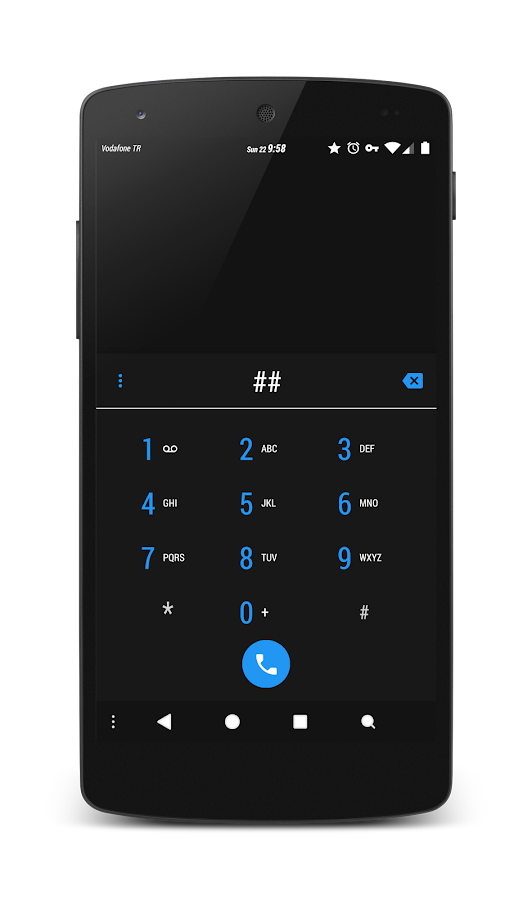
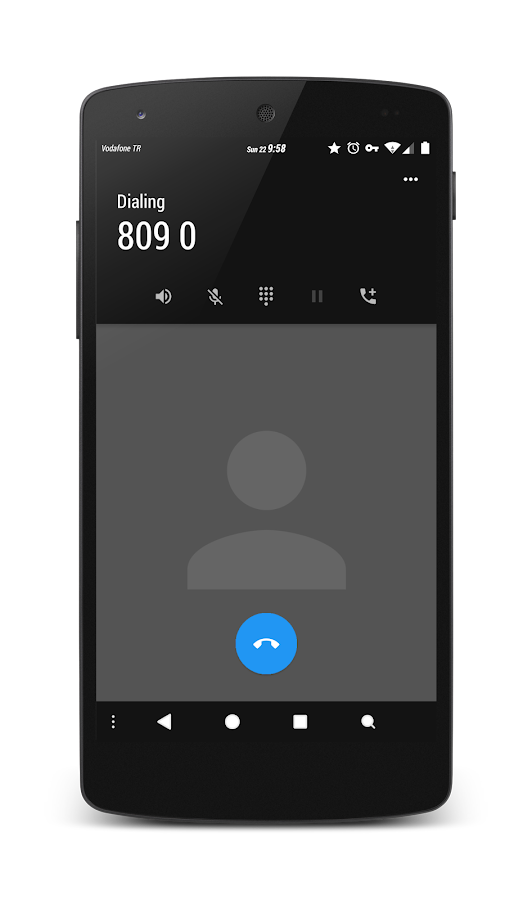
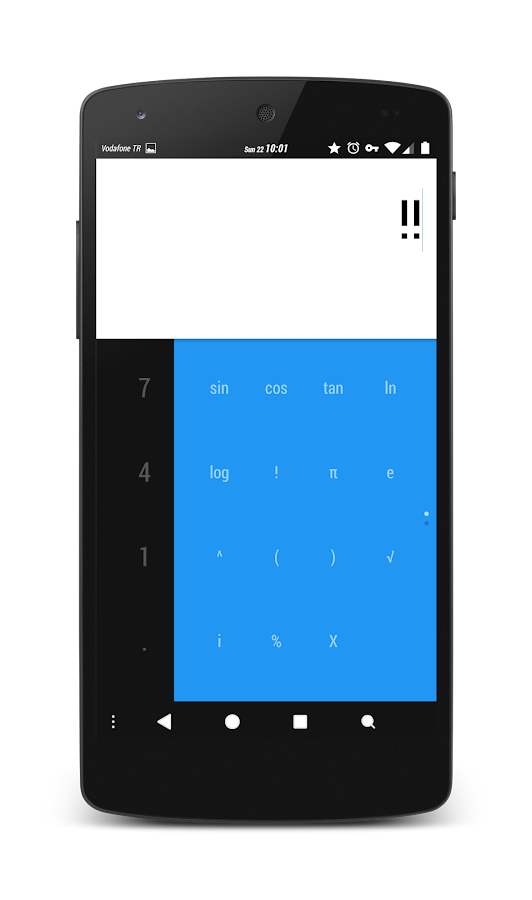
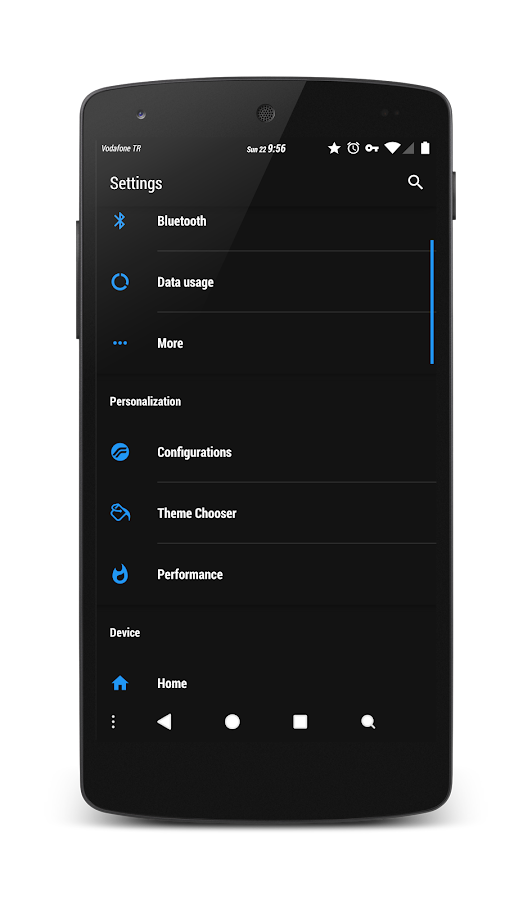
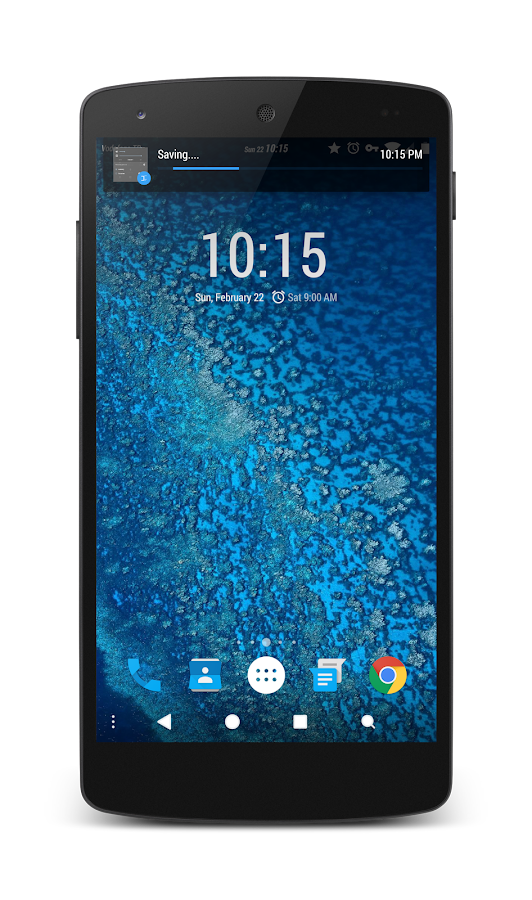
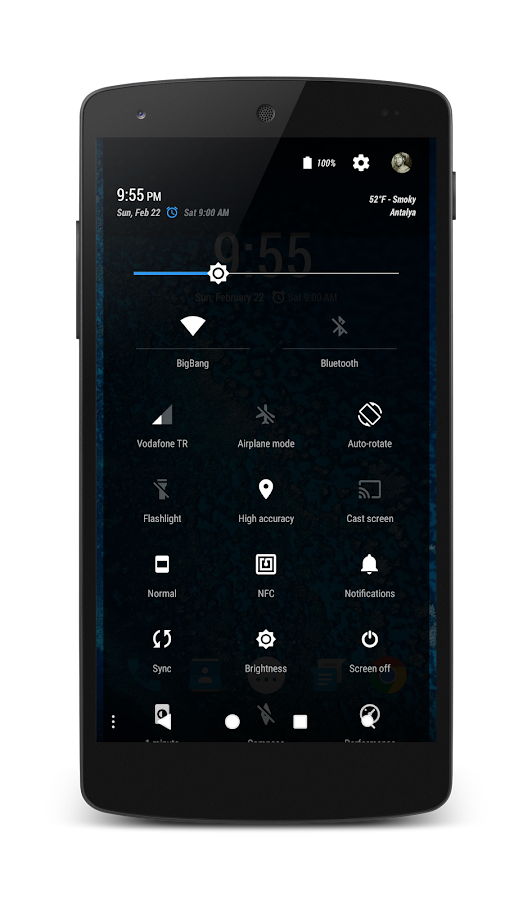
PitchBlack™ (Oceon) Theme - screenshot  PitchBlack™ (Oceon) Theme - screenshot
PitchBlack™ (Oceon) Theme - screenshot PitchBlack™ (Oceon) Theme - screenshot
PitchBlack™ (Oceon) Theme - screenshotPitchBlack™ (Oceon) Theme - screenshot

DOWNLOAD : LINK

This is an exclusive release and you will not find this download link anywhere on the internet excluding over here @ androcontent. So don't mirror this link

Sunday, 5 April 2015

Resurrection Remix® Lollipop v5.3.9 ROM - Redmi 1s (STABLE)(EXCLUSIVE)

http://apk-dl.com/detail/image/com.resurrection.remix-w150.png

About Resurrection Remix ROM


Resurrection Remix the ROM has been based on CM,slim.omni and original Remix ROM builds, this creates an awesome combination of performance, customization, power and the most new features, brought directly to your Device

Many things that in previous versions were tweaked with mods, are now included by default in the ROM so, please enjoy!

Special thanks to, the CM team,OMNI team ,SLIMROMS and of course to all the supporters

Included Main Features

Navigation Bar
-Enable/Disable Navbar
-Navbar Ring Switch
-Navbar Ring Targets
-Navbar Button Customization
-Navbar Dimensions(Potrait & Landscape)


Statusbar
-Brightness Slider
-Enable/Disable Show Notification Count
-SuperUser Indicator Switch
-Carrier Label
-Carrier Label Switch
-Carrier label Colour
-Quick PullDown Switch
-Smart Pulldown Switch
-Clock Customizations
-Time & date
-Clock Colour
-Day & date Toogle
-Center Clock/Right Clock Choice
-Battery
-Battery Bar customization
-Battery Icon Customization
(circle/landscape/Potrait and more)
-Battery % Text
-Network Traffic Indicator


Theme Chooser
-Animations
-Toast Animations
-ListView Animations
-System Animations


App Circle Bar
-Choose apps in App circle
-Trigger Width
-Trigger Hieght
-Trigger Position


Recents Panel
-Clear All button Switch
-Clear All Tasks Switch
-Clear All Button Location
(Top right,Top Left,Top Center,Bottom Left,Bottom Right,Bottom Center)

Clock Widget
-Clock And Alarm Customizations
-Weather Panel Customizations
-Calender Events


LockScreen
-Lockscreen Shortcuts
-Choose upto 5 Shortcuts
-100+ Icons for ShortcutsNotification Drawer
-Weather Display Switch
-Quick Settings
-Choice to Add 20+ Tiles
-Enable 2/3/4 Tiles per Row
-Enable Disable Birghtness Slider in Notification Panel
-Advanced Location Settings Switch
(Choose Battery saving/Device Only/High Accuracy Directly in Notification Panel)
-LongPress Toogles to Enter Settings


Buttons
-Backlight Timer
-Backlight Strength
-Navigation Bar left/Right handed mode Switch
-Power Menu
-Power Menu End Calls Switch


Home Button
-Home Button Wake Up
-Home Button answer call
-Long Press Actions
-Double Tap Actions


Back Buttons
-Wake Up device Switch


Menu Button
-Wake Up Device Switch
-Short Press Actions
-Long Press Actions


Search Button

-Wake Up Device
-Short Press Action
-Long Press Action


Volume Buttons
-Wake Up Device
-Playback Control
-Keyboard Cursor Control
-Swap Buttons on Landscape mode


Gestures
-Gestures Anywhere Feature

Perfomance Profiles
-LCD Density
-Expanded Desktop Mode
-All New CM Audio FX App
-Heads Up Customizations
-OverAll Smoothness Improvements
-Quick Unlock
-Optimizations to Improve Battery

-ALL cm12 Features
-AND MUCH MUCH MORE


Installation Instructions
- Download the latest build
- Download Gapps
- Take a nandroid backup
- Recommended - Full wipe and factory reset
- Flash ROM using latest ClockworkMod or TWRP recovery or Philz.
- Flash Gapps
- Reboot.
-Wait for 10 minutes to let ROM settle.
-Reboot again.
- Enjoy!


Update Instructions:
- Download the latest build of Resurrection ROM
- Take a nandroid backup
- Flash ROM using recovery
- Flash Gapps
- Wipe cache
- Wipe dalvik cache
- Reboot
- Enjoy!

SCREENSHOTS

 
Screenshot 2015 04 05 22 54 18 Screenshot 2015 04 05 17 50 53


Known Bugs  
-Vibration Intensity FC's.

DONNLOAD(MEDIAFIRE) : LINK
DOWNLOAD(GAPPS) : LINK

Credits
* @TechExhibeo (without him the ROM wouldn't have been possible!!)
*The Armani dev Team for sources!
*The ResurrectionRemix Team.


Original Thread(XDA) : LINK

PitchBlack™ (Oceon) Theme : LINK


WAS WATING FOR THIS ROM FOR A VERY LONG TIME AND NOW IT IS FINALLY COME WILL TEST AND GIVE MY REVIEW SO STAY TUNED

UPDATE: Busy with my EXAMS going to post the review on 7 April 2015 

Saturday, 4 April 2015

Unlimited Free VPN - betternet

Cover art 

DESCRIPTION 

betternet is the easiest way to connect to the web without censor or restrictions. An unlimited FREE VPN with no ads, no registration, no b******t; we just protect your privacy and identity. That’s it!
Unblock any website | Wifi security | Protect Privacy

Unlimited Free VPN distinctive features:
Totally Free VPN service forever
No credit card
No Registration or Logging in is needed
No log is saved from no user
No ad is presented in the app
Simple interface just to connect
Simply one tap and connect to VPN

As it’s obvious from its name, it’s a completely unlimited free VPN service for Android that can be used to unblock all restricted websites and services such as Facebook, Twitter, Youtube, etc. In addition to bypassing banned websites, Unlimited Free VPN secures your device’s connections while you’re connected to public wi-fi hotspots, cellular data networks and other public locations. It works just like proxy but even more secure!

Therefore it’s a free VPN service, it’s super fast! Unlimited Free VPN detects your location automatically and connects you to the nearest server; as a result, your connection will be much faster than other providers.
 
SCREENSHOTS   

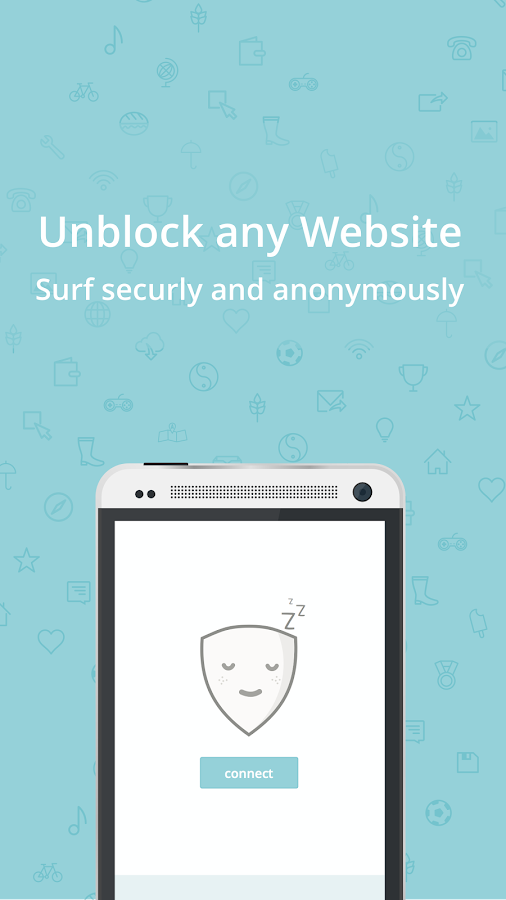
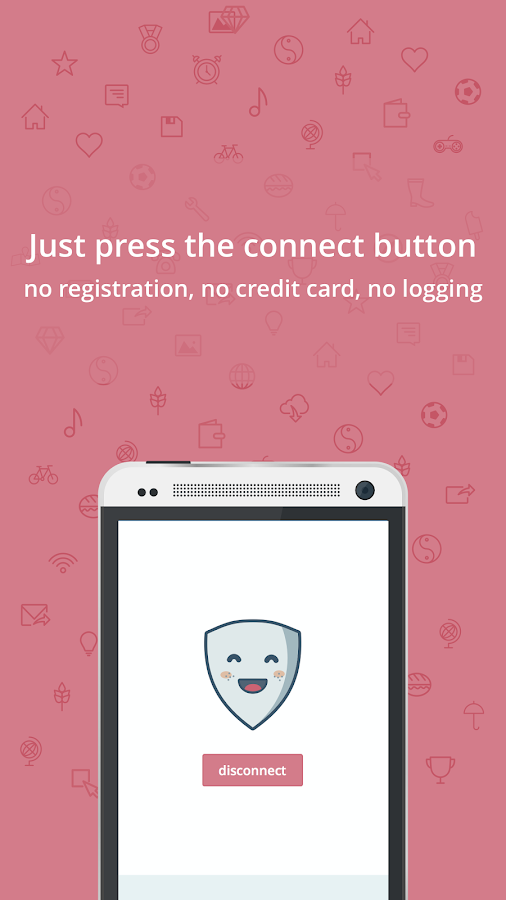
Unlimited Free VPN - betternet - screenshot Unlimited Free VPN - betternet - screenshot 
 
DOWNLOAD(DIRECT LINK) : LINK
DOWNLOAD(PLAY STORE) : LINK

Shuttle + 1.5.1 Music Player

Cover art 

DESCRIPTION 

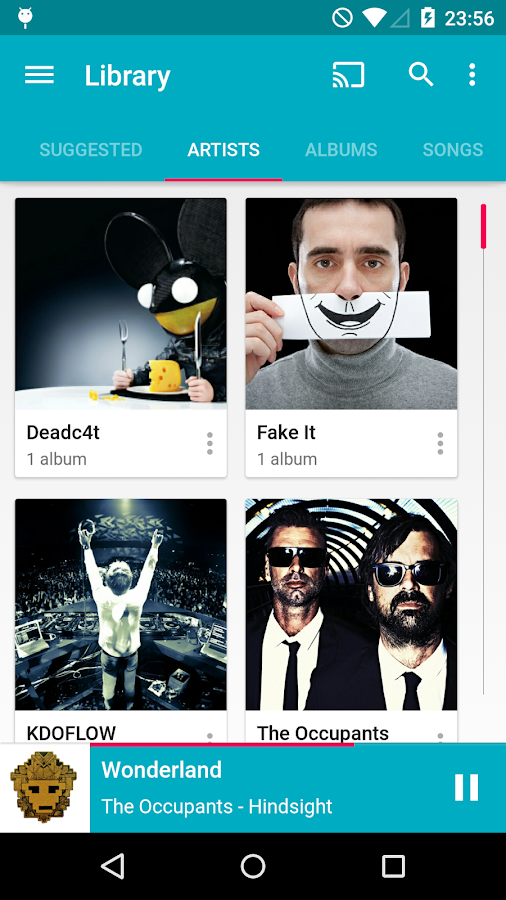
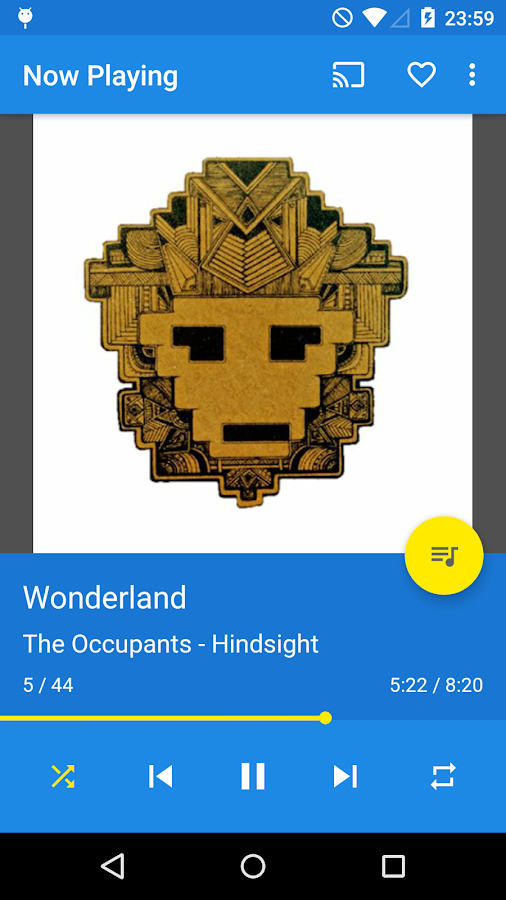
Shuttle Music Player is an intuitive, lightweight and powerful music player for Android.

Features:
- Material design
- Built in 6-band equalizer with bass boost,
- Gapless playback
- Lyrics
- Automatic artwork downloading
- The best user interface of any music player in the Play Store
- Tons of theme options, including light & dark mode
- Sleep timer
- Extremely customizable widgets
- Last.fm Scrobbling
- id3 tag editing
- Folder browsing
- ChromeCasting to your TV
- Tons more themes

Shuttle Music Player contains everything you need in a music player... and a little bit more. It is the music player of choice for your Android device!

SCREENSHOTS 

Shuttle Music Player - screenshot Shuttle Music Player - screenshot

DOWNLOAD(USERCLOUD) : LINK
DOWNLOAD(PLAY STORE) : LINK

Android Apps & Games (31-03-15)

 https://cfcdnpull-creativefreedoml.netdna-ssl.com/wp-content/uploads/2013/03/00-android-4-0_icons.png

Android Apps & Games (31-03-15) | 1.83 Gb
Genre: Games, Apps | Platform: Android

Content:

Advanced Wifi Lock v1.3.8.apk
Agent Alice v1.0.61 Mod.apk
Alarmy (Sleep If U Can) - Pro v9.1.apk
Angry Birds Transformers v1.4.19 [Mod1 - 2]-OBB.part1.rar
Angry Birds Transformers v1.4.19 [Mod1 - 2]-OBB.part2.rar
Angry Birds Transformers v1.4.19 [Mod1 - 2]-OBB.part3.rar
Angry Birds Transformers v1.4.19 [Mod1].apk
Angry Birds Transformers v1.4.19 [Mod2].apk
Aptoide v6.5.1 build 459 [Mod].apk
Archos Video Player v8.1.7 (Paid version).apk
Bike Rivals v1.4.0 [Unlocked].apk
CALCU Stylish Calculator PREMIUM v1.3 (Ultimate).apk
Call of Mini Infinity v2.5.apk
Call of Mini Infinity v2.5-OBB.part1.rar
Call of Mini Infinity v2.5-OBB.part2.rar
Call of Mini Infinity v2.5-OBB.part3.rar
Calls Blacklist PRO v2.10.31 Original.apk
Calls Blacklist PRO v2.10.31 Patched.apk
DAVdroid - CalDAV CardDAV Sync v0.7.2.apk
Doodle Jump v3.5 [Mod Money].apk
Fatal Fight v1.1.12 Unlocked.apk
Fatal Fight v1.1.12 Unlocked-OBB.part1.rar
Fatal Fight v1.1.12 Unlocked-OBB.part2.rar
FLASHOUT 2 v1.7.11 Mod Money.apk
FLASHOUT 2 v1.7.11 Mod Money-OBB.part1.rar
FLASHOUT 2 v1.7.11 Mod Money-OBB.part2.rar
FLASHOUT 2 v1.7.11 Mod Money-OBB.part3.rar
FLASHOUT 2 v1.7.11 Mod Money-OBB.part4.rar
FLASHOUT 2 v1.7.11 Mod Money-OBB.part5.rar
FLASHOUT 2 v1.7.11 Mod Money-OBB.part6.rar
FLASHOUT 2 v1.7.11.apk
HD Camera Pro v1.6.0.apk
Jelly Jump v1.1 Mod.apk
JoyJoy v1.054 Mod.apk
JoyJoy v1.054.apk
Light Manager Pro v7.4.apk
Perfect Viewer v2.5.2.3 Donate Patched.apk
PrinterShare Mobile Print v10.6.7 [Premium].apk
PUZZINGO.Puzzles.Pro.v.5.33.b.191.part1.rar
PUZZINGO.Puzzles.Pro.v.5.33.b.191.part2.rar
PUZZINGO.Puzzles.Pro.v.5.33.b.191.part3.rar
PUZZINGO.Puzzles.Pro.v.5.33.b.191.part4.rar
PUZZINGO.Puzzles.Pro.v.5.33.b.191.part5.rar
PUZZINGO.Puzzles.Pro.v.5.33.b.191.part6.rar
Scary Escape v1.0.apk
Scary Escape v1.0-OBB.part1.rar
Scary Escape v1.0-OBB.part2.rar
Sworkit Pro - Personal Trainer v5.50.09 [Paid].apk
TinyKeep v2.0.apk
TinyKeep v2.0-OBB.part1.rar
TinyKeep v2.0-OBB.part2.rar
TinyKeep v2.0-OBB.part3.rar
TinyKeep v2.0-OBB.part4.rar
TinyKeep v2.0-OBB.part5.rar
TinyKeep v2.0-OBB.part6.rar
TinyKeep v2.0-OBB.part7.rar
Turbo Editor PRO (Text Editor) v1.19.apk
VivaVideo Pro Video Editor v4.1.2.apk
Weird Park 3 Final Show v1.1.apk
Weird Park 3 Final Show v1.1-OBB.part01.rar
Weird Park 3 Final Show v1.1-OBB.part02.rar
Weird Park 3 Final Show v1.1-OBB.part03.rar
Weird Park 3 Final Show v1.1-OBB.part04.rar
Weird Park 3 Final Show v1.1-OBB.part05.rar
Weird Park 3 Final Show v1.1-OBB.part06.rar
Weird Park 3 Final Show v1.1-OBB.part07.rar
Weird Park 3 Final Show v1.1-OBB.part08.rar
Weird Park 3 Final Show v1.1-OBB.part09.rar
Weird Park 3 Final Show v1.1-OBB.part10.rar
Weird Park 3 Final Show v1.1-OBB.part11.rar
Weird Park 3 Final Show v1.1-OBB.part12.rar
Weird Park 3 Final Show v1.1-OBB.part13.rar
Weird Park 3 Final Show v1.1-OBB.part14.rar
Weird Park 3 Final Show v1.1-OBB.part15.rar
Weird Park 3 Final Show v1.1-OBB.part16.rar
Weird Park 3 Final Show v1.1-OBB.part17.rar
WLAN-o-Matic Pro v1.50.05.apk

INSTALL NOTES


(1): Please use 7Zip/WinRAR/Universal Extractor to EXTRACT FILES
(2): Copy and paste to extSD and Install
(3): Some Apps/Games need "Root"
(4): Enjoy and Support Developers, Buy It, They Deserved It!


DOWNLOAD(TORRENT) : LINK

Tasker Project to control Philips Hue bulbs using Ok Google commands (NO ROOT)

  http://www.blogcdn.com/www.engadget.com/media/2013/08/philipshue2.jpg
shadow321337 from xda developers has created Tasker Project that works in conjuction with Ok Google and a few Tasker plugins to give you voice control over your Philips Hue lights, as well as some instructions for setting it up.


Step 1: Prereqs
The first thing you'll need to do (after buying and setting up your Hue bulbs) is install the prerequisites:

Tasker:

PLAY STORE

AutoVoice:

AutoVoice Pro Unlock:

PLAY STORE

AutoHue:

PLAY STORE

Philips Hue:
(not required, but you'll need it if you haven't already set up your bulbs. good for testing anyway):
PLAY STORE
DIRECT LINK

Step 2: Configure AutoVoice

You'll then need to make sure you have Ok Google enabled and allow AutoVoice to intercept commands. Lifehacker has a good article on how to do this which I used, so I'll just tell you to use steps 0 and 1 from that:
lifehacker.com/how-to-create-custom-voice-commands-with-tasker-and-aut-1282209195

I also recommend in the AutoVoice app, under Google Now Integration, to check the "Only Voice" box so if you type a search for anything it doesn't accidentally trigger a profile.

Keep in mind I'm running this on a stock, rooted Nexus 6 with always listening Google Now enabled. YMMV if you have other means to trigger the voice commands. You may want to set up some dummy tasks to test your voice triggering.

Step 3: Configure Tasker

At this point you can follow the Lifehacker guide to set up some profiles, but I've provided my Tasker Project via an XML file for your convenience.
XDA doesn't accept .xml files, so I changed it to .txt
Just rename it back to .xml (it's plaintext, so by all means inspect it). You should never blindly import a stranger's Tasker profiles.
Once you're satisfied, just download and import it into Tasker (there are guides out there for this).

Step 4: Configure Tasker Profiles for your Bulbs

One at a time open the "Set Lights", "Turn off the lights", "Mood Lighting", and "Movie Mode" actions and do the following for each of the "AutoHue" Actions in each task (There are 3 in "Set Lights", 1 in the rest):
==> Select the Action
==> Tap the pencil in the rop right
==> Tap the magnifying glass and search/pair with your Hue bridge
==> Tap the button under "Light" and select the bulbs you want to be controlled
==> Tap the Check Mark in the top right
(That step seems like a lot of work, but trust me when I say it pales in comparison to setting up all of these individually)

Step 5: Test!
Once you've completed that, open a few of the tasks and press the Play button in the bottom corner to make sure they are configured right (your lights should respond accordingly). Then once you know Tasker is working right, you can try using Ok Google to trigger it. If everything was configured properly, then you're all good to go!

List of available commands I have already set up with descriptions:

These can be disabled individually by either turning the Profile switch to Off or completely deleting the Profile and Task from Tasker.

==> "Turn on the lights"
- turns on all lights to maximum brightness
==> "Turn off the lights"
- turns off all lights
==> "Dim the lights"
- dims the lights to 20%
==> "Movie Mode"
- turns off all lights except one (mine's set for the one being in the kitchen; This needs to be set up like the "Set Lights" task above.)
==> "Set the Mood"
- dims the lights and sets them red (for when you've got "company"). This needs to be set up like the "Set Lights" task above.
==> "Wake Up"
- When phone alarm goes off, slowly increases the lights from off to full with blue hue to help you wake up, then waits 10 minutes and sets the color to white
==> Increase by % (increments of 10%; range: 10%-90%)
- e.g. "increase the lights 30%"
==> Decrease by % (increments of 10%; range: 10%-90%)
- e.g. "decrease the lights 30%"
==> Set to % (increments of 10%; range: 10%-100%)
- e.g. "set the lights to 30%"
Note: I have it configured so setting the brightness also adjusts the warmth of the light, so a dimmer light is an oranger hue (easier on the eyes in the dark; similar to f.lux.) This can be disabled by changing references to the %Sat variable under the AutoHue actions in the "Set Lights" task to 0.


Things probably be added soon:
Another variable for hue to add the ability to change the color of the lights with voice commands
Individual Room Lighting Control
Attached Files
File Type: txt Lights.prj.txt

Friday, 3 April 2015

F18 Carrier Landing II Pro APK + DATA

 https://blogger.googleusercontent.com/img/b/R29vZ2xl/AVvXsEhS4rXNhkxXRD9qExonkiJvd6qOluwg0WepjvXsmIDtSV5QL1VS5MxJXm5IT28ztTHTmcnk74VKzr9gXhn3m20G3TNNLaHM7v4h2EwGyDbXBpxJR3sqob04KiIy7Xp6r0s5Wrfr5vPey1M/s1600/f18+carrier+landing+ii+pro+android.jpg
DESCRIPTION

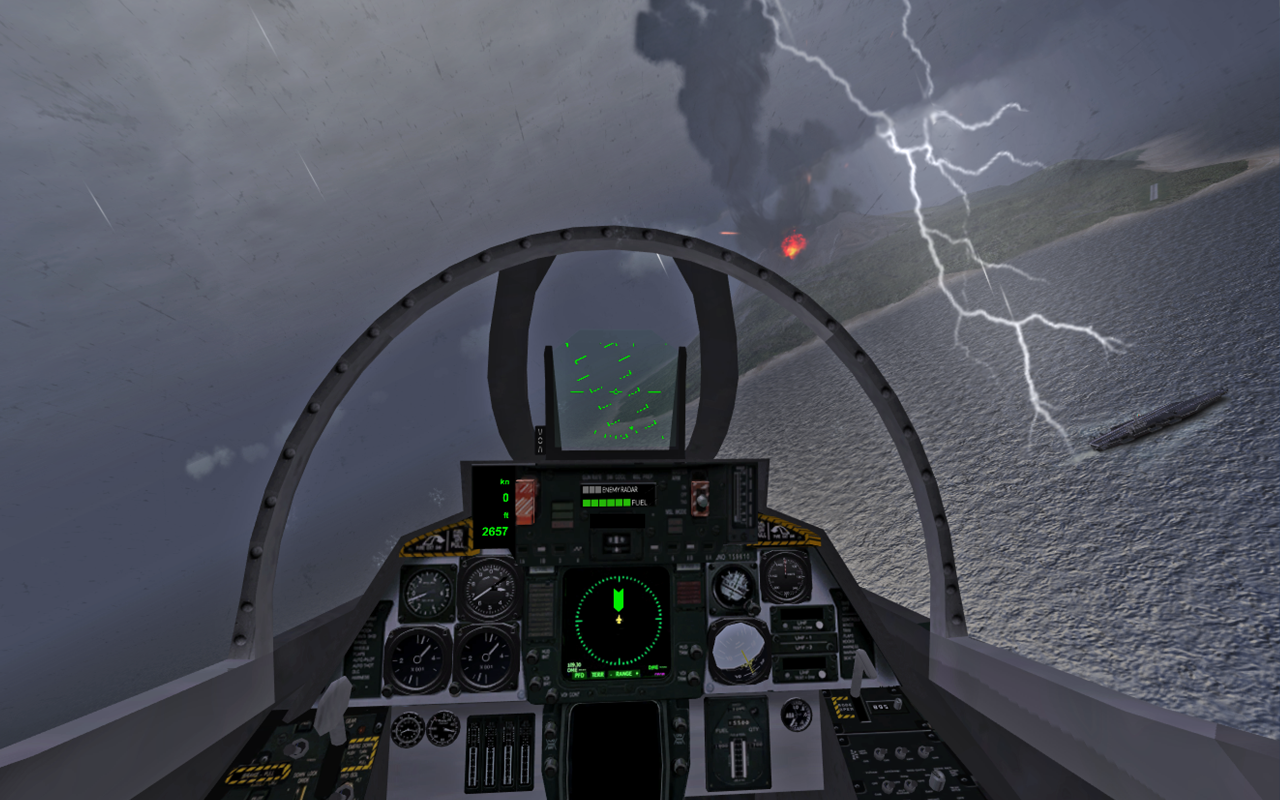
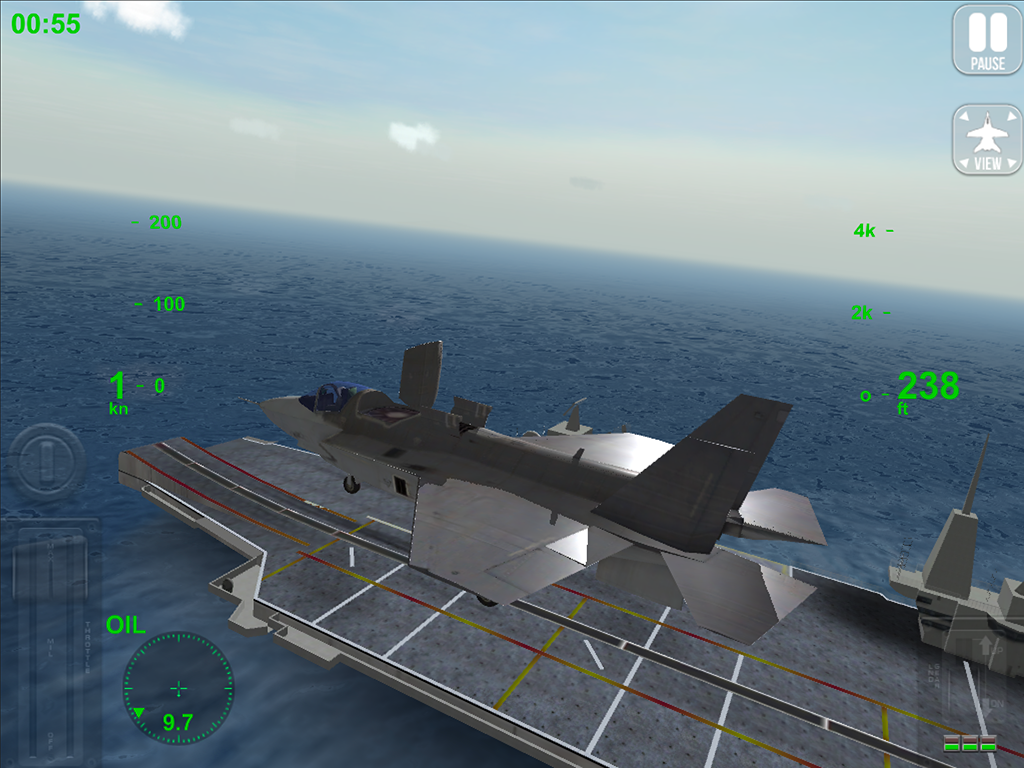
Flight simulator for mobile devices. The most advanced aircraft carrier landing system ever created.
Landing on an aircraft carrier is one of the most difficult tasks a pilot has to execute. The flight deck is only 150 meters long, just enough to stop the aircraft.

Accept the challenge, take on over thirty missions in the world's most dangerous and spectacular scenarios and join the best Top-Gun pilots.

Take control, climb into the realistic 3D cockpits and fly the most famous military aircrafts, faithfully reproduced.

Exceed your limits and get the excellence in all 90 engaging challenges!
Try out the latest evolution of the RORTOS flight system, already appreciated by millions of users around the world: unprecedented graphics, realistic weather conditions and a REPLAY function that lets you review your flight moves to immediately share with your friends.

For an even more thrilling experience, connect two devices online and activate the multi-screen mode.

Featuring:
* Game campaign with 6 training missions and 30 missions in 5 different scenarios
* 90 engaging challenges
* Free flight with choice of weather conditions and time
* Landing competitions with worldwide ranking
* Multi-camera Replay with dynamic CINEMA view
* Aircraft carrier landings, airbase landings and emergency landings
* Take-off, practice, transfers, recon and flights in formation with a flight guide
* Vertical take-off and landing (F35B Lightning II, AV-8B Harrier II)
* In-flight refuel
* More realistic extreme conditions with wind, rain, snow and lightning
* 3D virtual cockpit with integrated instrumentation, rain/snow effects and 6 different camera angles
visual perspectives
* Radar with runway and aircraft carrier orientation
* Realistic fuel consumption
* Approach system I.F.L.O.L.S.
* Radio communication
* REMOTE CONTROL: you can connect two devices and use one of them like a remote control with a complete instrumentation view

Aircrafts:
* F/A-18 Super Hornet
* F-14 Super Tomcat
* C-2A Greyhound
* F-16 Fighting Falcon
* AV-8B Harrier II (vertical)
* F35B Lightning II (vertical)
* MiG-29K Fulcrum
* F4E Phantom II
* A-6 Intruder
* A-7 Corsair II

Scenarios:
* Islands
* Canyon
* Arctic
* Arcs
* Volcano

SCREENSHOTS

F18 Carrier Landing II Pro - screenshot thumbnail
https://lh3.ggpht.com/81JVr_dRTZjxNbk-GjIohJP5p0YHYRje6qrQQXbJfspu7UAfoBRrCqaHVe8AbDxN2XA=h900
https://lh5.ggpht.com/uiIf-MJZz3oFRJRoxmJsEEqPPOXI8Pm4hUP9wqxfNST_bKdj3g_mPICqLdnC754B3Q=h900

INSTRUCTIONS

  • Install APK
  • Place data folder in SDCard/Android/Obb/
  • Play

DOWNLOAD(GOOGLE PLAY) : LINK
DOWNLOAD (DATAFILEHOST) : LINK


Internet Download Manager(IDM) License crack 100% WORKING

http://4.bp.blogspot.com/-KN4p9VVNydo/VLhtxFaig-I/AAAAAAAABp4/enlh5BEMROk/s1600/IDM.jpg

DESCRIPTION

Internet Download Manager (IDM) is a tool to increase download speeds by up to 5 times, resume and schedule downloads. Comprehensive error recovery and resume capability will restart broken or interrupted downloads due to lost connections, network problems, computer shutdowns, or unexpected power outages. Simple graphic user interface makes IDM user friendly and easy to use.Internet Download Manager has a smart download logic accelerator that features intelligent dynamic file segmentation and safe multipart downloading technology to accelerate your downloads. Unlike other download managers and accelerators Internet Download Manager segments downloaded files dynamically during download process and reuses available connections without additional connect and login stages to achieve best acceleration performance. 

Internet Download Manager supports proxy servers, ftp and http protocols, firewalls, redirects, cookies, authorization, MP3 audio and MPEG video content processing. IDM integrates seamlessly into Microsoft Internet Explorer, Netscape, MSN Explorer, AOL, Opera, Mozilla, Mozilla Firefox, Mozilla Firebird, Avant Browser, MyIE2, and all other popular browsers to automatically handle your downloads. You can also drag and drop files, or use Internet Download Manager from command line. Internet Download Manager can dial your modem at the set time, download the files you want, then hang up or even shut down your computer when it's done.

Other features include multilingual support, zip preview, download categories, scheduler pro, sounds on different events, HTTPS support, queue processor, html help and tutorial, enhanced virus protection on download completion, progressive downloading with quotas (useful for connections that use some kind of fair access policy or FAP like Direcway, Direct PC, Hughes, etc.), built-in download accelerator, and many others. 

WATCH VIDEO 


DOWNLOAD : LINK

SUPPORT THE DEVELOPERS : LINK 

Thursday, 2 April 2015

How to make your own boot animations (with sound if you want)

http://www.gizmobolt.com/wp-content/uploads/2014/06/017.png

Introducion

Hi guys!
Today, I'm going to teach you how to make your own boot animations. Please read this thread carefully to the end, in order to succeed in making your boot animation.

NOTE: This method is tested and it works on AOSP ROMs. I don't guarantee that it will work for stock ROMs (The ROM that came with your device)!
 
Requirements:

-A photo-editing program (GIMP and Photoshop are the best), which can save pictures in .png format
-A text editor (everyone has that)
-An archive-managing program (Power Archiver, WinZip), that is capable of making .zip archives


1. Create part0 and part1 folders (in this folders, the frames of the boot animation are stored. Usually, there are only 2 parts in a boot animation, but you can add as many as you want. The frames in the part0 folder are usually repeated once, and the frames in part1 folder are usually looped several times, or infinite.)

2. Draw every frame of your boot animation manually (save every frame as you do it. Save the first one as 10001.png, the second one as 10002.png, and so on. Save them in the part0 and part1 folders - the frames in part0 folder will be showed only once, and the frames in part1 folder will be looped. But, you can change that if you want. Changing the looping property will be discussed in the following steps. WARNING: ALWAYS SAVE THE FRAMES IN .PNG OR .JPG FORMAT!)

3. Make a desc.txt file in the directory where the part0 and part1 folders are and edit it as following:


320 480 30
p 1 0 part0
p 0 0 part1
(The numbers 320 and 480 is the resolution of your boot animation. Change them as you want. The number 30 means the speed of the animation. Speed set to 30 is good for me. Then, the "p 1 0 part0" property means that the frames in part0 folder will be repeated once - you point that with the first number in the "p 1 0 part0" property, which in this case is 1. The second number is the delay between loops, and it's expressed in milliseconds (1000ms = 1s). I've set it to 0 because I don't want to be any delay between my loops (p 1 0 part0). And last, but not least, you set the folder with the folder name - in this case is part0. Then, you type the property for the part1 folder - that's "p 0 0 part1". The first "0" means that the folder will be looping infinite times, the second "0" means there's no delay between loops, and then we set the folder to part1. Note: if you have more folders, you'll have to write properties for them too! WARNING: DON'T FORGET TO LEAVE AN EMPTY LINE AT THE END OF THE DESC.TXT FILE!)

4. Compress the folders and the desc.txt file in a zip file (WARNING: MAKE SURE YOUR COMPRESSION METHOD IS STORE! OTHERWISE, THE BOOT ANIMATION WON'T WORK!)


5. Open your new boot animation and check the folders, if there are Thumbs.db files. If there are Thumbs.db files in your boot animation, delete them from the archive.


6. Install your boot animation on your device with one of the following methods:


Root Explorer method:
1. Rename your boot animation to bootanimation

2. Put it on your SD card

3. Open Root Explorer and copy bootanimation.zip to /system/media. This will replace the existing boot animation

4. Reboot your phone

ADB method:
1. Make sure you have downloaded android sdk

2. Put android sdk in C:\

3. Set the directory of command prompt to C:\android-sdk-windows\platform-tools. Click here for a video tutorial.

4. Rename your boot animation to bootanimation and put it in C:\android-sdk-windows\platform-tools


5. Open cmd


6. Type in order:
-adb remount
-adb push bootanimation.zip /system/media/bootanimation.zip
-adb reboot


7. Enjoy your new boot animation!

Note: It's far easier to create and install boot animations with my program Boot Animation Factory. Oh, and you can preview them on your computer too!

How to add sound

1. Download this shell script: LINK
2. Place bootsnd.sh in /sdcard

3. Run terminal emulator, and execute the following:
su
cd /sdcard
sh bootsnd.sh

4. Use a rooted file manager and navigate to /system/bin, and verify that there is now a file called bootsound there, and it has 777 (rwxrwxrwx) permissions. Modify the permissions to 777 if needed.

5. Place your desired sound file, renaming it android_audio.mp3, in /system/media.

5.1 For the original quietly brilliant sound, download: LINK (remember to rename it).
5.2 I now put custom boot animations into /system/media as well, and this is my favorite so far: LINK (rename to just bootanimation.zip).
6. Reboot and enjoy.

Common mistakes that people make:
-Wrong compression method: you MUST set the compression method to Store!

-Missing empty line at the end of the desc.txt file: an empty line is needed! Otherwise, the boot animation won't work!

-Frames drawn in wrong color mode: you MUST draw your frames in RGB 8bit or RGB 16bit COLOR MODE!

Flash Gordon: an Edify to Bash parser/translator (Flash Zips WITHOUT a Recovery!)

http://musicmp3spb.org/images/q/queen/flash_gord2118b5c02bdd9b8be58756.jpg

What is Flash Gordon ?

In laymen's words, Flash Gordon is an apk which allows you to flash any flashable zip (except for Roms) without having a recovery installed.
You just point it to the zip you want to flash, (be it a kernel, a mod, a gapps package, a modem, a RIL, a recovery...) and it will interpret the updater-script of this package and install its content just like a recovery would.


How does it work ?

Here is what happens step by step :

  1. You tap the "select a zip" button, select the built-in file explorer to select the zip you want to flash
  2. Flash Gordon will first extract this zip, depending on its size it can take a little time
  3. When you press the "Flash Now" button, Flash Gordon will locate the updater-script and start translating it into shell code, line by line
  4. It will output the resulting translated bash script on your sdcard and execute it, thus installing the zip's content
  5. The app creates a notification, just tap on it to reboot

In order to achieve those last 2 steps, I'm writing a full Edify to Bash parser and translator.
Here is the list of all the Edify commands this parser can currently process and what their respective bash translation is (in green), using examples:
(more will be added over time, this is really just a draft)

By no means am I a bash expert, so if you have suggestions for better bash equivalents of any edify commands please post them
Code:
package_extract_file("path/to/source/file.txt", "/path/to/destination/file.txt");
busybox cp -fp /path/to/source/file.txt /path/to/destination/file.txt

package_extract_dir("/source/folder", "/destination/folder");
busybox cp -rfp /source/folder/* /destination/folder

set_perm(0, 2000, 0755, "/file/or/folder");
chown 0:2000 /file/or/folder
chmod 0755 /file/or/folder

set_perm_recursive(0, 2000, 0644, 0755, "/path/to/set/permissions/recursively");
chown -R 0:2000 /path/to/set/permissions/recursively
chmod 0644 /path/to/set/permissions/recursively
chmod -R 0755 /path/to/set/permissions/recursively


delete("file/to/delete");
busybox rm -f /file/to/delete

run_program("/script/to/run.sh");
sh /script/to/run.sh

mount("ext4", "EMMC", "/dev/block/mmcblk0p9", "/system");
busybox mount -o rw,remount -t auto /system (will soon change to -t mmcblk0p9 or whichever mount point is in the updater-script)

unmount("/system");
busybox mount -o remount,ro /system

symlink("busybox", "/system/xbin/[", "/system/xbin/[[",
        "/system/xbin/adjtimex", "/system/xbin/arp", "/system/xbin/ash",
        "/system/xbin/awk", "/system/xbin/base64", "/system/xbin/basename",
        "/system/xbin/bbconfig", "/system/xbin/blkid", "/system/xbin/blockdev",
        "/system/xbin/brctl", "/system/xbin/bunzip2", "/system/xbin/bzcat",
        "/system/xbin/bzip2", "/system/xbin/cal", "/system/xbin/cat",
        "/system/xbin/catv", "/system/xbin/chattr", "/system/xbin/chgrp",
        "/system/xbin/chmod", "/system/xbin/chown", "/system/xbin/chroot",
        "/system/xbin/clear", "/system/xbin/cmp", "/system/xbin/comm",
        "/as/many/lines/as/you/want");
ln -s busybox  /system/xbin/[ /system/xbin/[[
        /system/xbin/adjtimex /system/xbin/arp /system/xbin/ash
        /system/xbin/awk /system/xbin/base64 /system/xbin/basename
        /system/xbin/bbconfig /system/xbin/blkid /system/xbin/blockdev
        /system/xbin/brctl /system/xbin/bunzip2 /system/xbin/bzcat
        /system/xbin/bzip2 /system/xbin/cal /system/xbin/cat
        /system/xbin/catv /system/xbin/chattr /system/xbin/chgrp
        /system/xbin/chmod /system/xbin/chown /system/xbin/chroot
        /system/xbin/clear /system/xbin/cmp /system/xbin/comm
        /as/many/lines/as/you/want
(not sure about this one, please correct me if I'm wrong, I could change to ln -s argument/number/1 argument/number/2 as many times as required if needed)

write_raw_image("/tmp/boot.img", "mmcblk0p5");
dd if=/tmp/boot.img of=/dev/block/mmcblk0p5
This is just a proof of concept for the moment, I'm aiming at adding all the possible Edify commands, and maybe doing it backwards (Bash2Edify) in the future, too.


SCREENSHOTS


can check-out the full source code on github at : https://github.com/Androguide/FlashGordon

This app depends on the following Open-Source libraries :


Frequently Asked Questions

Q: Why can't I flash a Rom with Flash Gordon ?
A: Because when some system files are replaced while the device is running, it causes it to crash and will stop in the middle of the installation, resulting in a bootloop.

Q: Where can I see the bash script translation of the package I selected ?
A: After tapping the Flash Now button, head to /sdcard/RecoveryEmulator/tmp/flash_gordon.sh
The full translation is also output to the logcat while flashing.

Q: I select a flashable zip but it tells me it is not valid or that it's not a zip package, why ?
A: Make sure that there is no whitespace in the name of the zip package you're trying to flash, otherwise it won't be recognized.
If your package has no whitespace but the app still gives this error, try to shorten its name.

Q: Which versions of Android are supported ?
A: From Froyo (2.2) up to the latest JellyBean (4.2.2)

Q: Why is this app useful?
A: Some people might not be able to install a custom recovery on their device, either because there is no custom recovery for this model, or maybe their bootloader is locked. Flash Gordon allows them to flash packages even then.
Or maybe you're simply lazy and you don't want to have to reboot to recovery to flash that new kernel or that new cool flashable mod ? Then Flash Gordon is for you too.
Or maybe just for the heck of it ?^^


Requirements

All you need is a rooted Android device with a proper busybox installed. Required applets include :
  • mount
  • sed
  • unzip
  • rm
  • cp

Changelog

  • 25/04/2013 : Initial release
  • 26/04/2013 : Added a few fixes and regex corrections. (Github commit)
  • 26/04/2013 : Hotfix for some flashable zips mistakenly identified as unvalid + Hotfix for kernels where the updater-script uses package_extract_file(); instead of write_raw_image(); (Github commit)

Disclaimer

If you're going to test this app, make sure you have a nandroid backup handy as it is very far from stable.
I won't be held responsible for any damage done to anything whatsoever. You use this tool at your own risk


DOWNLOAD: LINK

OFFICIAL LEAKED MIUI 6 BETA ROM for Redmi 1S

 https://pbs.twimg.com/media/B05fY5pCQAEoEiN.png

Just enjoy Official MIUI v6 ROMs on your Redmi 1S 

SCREENSHOTS

 https://blogger.googleusercontent.com/img/b/R29vZ2xl/AVvXsEgehH680yqilvF-r03vevfWBhvmLmdmXYxRR4VM1wuwqasYSScIjyZ9N8FeLzoLc1EaZgjB0q6oEcciA-qHicUU-9cU4265lt8TmdgI25q66_M_KAJ6PGAFX-JDWzmokhJ-ieqgpcP4cBVE/s1600/miui+6+collage-+techripper.in.jpg

RECOVERY ROMs (FOR FRESHLY INSTALL)

FLASH AS REGULAR ROMs
MIUI 6 v5.3.27 - LINK
MIUI 6 v5.3.31 - LINK (Password: td2f)


OTA ZIPs (FOR JUST UPGRADE)
Just flash it as normal zip, dont wipe anything before and after flashing OTA zips

From v5.3.27 to v5.3.31 - LINK
From v5.3.27 to v5.4.1 - LINK


GAPPS : UPDATE SOON


Wednesday, 1 April 2015

The Most Useful Things You Can Do with ADB and Fastboot on Android

 http://www.arctablet.com/blog/wp-content/uploads/2012/01/150x150xandroid-adb-150x150.png.pagespeed.ic.zF3gTqJI4q.png

Disclaimer: These commands are intended to give you an idea of what you can do with ADB and fastboot. They are not direct instructions and not all commands work on all devices. It's perhaps better to think of this as a glossary. Due to the sheer number and variety of devices and implementations in the Android world, it's impossible for us to provide step-by-step instructions for every single device. Be sure to research your specific phone or tablet before throwing commands at it.

Manage Your Device with ADB

The Most Useful Things You Can Do with ADB and Fastboot on Android 

ADB has a wide variety of functions for managing your device, moving content to and from your phone, installing apps, backing up and restoring your software, and more. You can use ADB while your phone is plugged in to a computer. You can also use ADB with your device wirelessly by following these instructions. You'll need to briefly connect your device to your computer with a USB cable for this to work, but it should only take a few seconds to execute these commands and then you're good to use ADB wirelessly if you so choose. 

adb devices 
Function: Check connection and get basic information about devices connected to the computer.

When using ADB, this is probably the first one command you'll run. It will return a list of all devices that you have connected to your computer. If it returns a device ID like the one seen above, you're connected and ready to send commands. 

adb reboot recovery
Function: Reboot your phone into recovery mode.

A lot of functions like flashing ROMs to your phone require you to boot into recovery mode. Normally, this requires you to hold down a particular set of buttons on your phone for a certain length of time, which is obnoxious. This command allows you to boot directly into recovery mode without performing the complex finger dance of your people. 

adb reboot-bootloader
Function: Reboot your phone into bootloader mode.
Along the same lines as the previous command, this one allows you to boot directly to your phone's bootloader. Once you're in the bootloader, ADB won't work anymore. That's where fastboot comes in (which we'll get to in a bit). However, much like the recovery command, it's much easier to boot into your bootloader with a command on your computer than a complex series of buttons on your phone. 

adb push [source] [destination]
Function: Copy files from your computer to your phone.

The push command allows you to copy files from your computer to your phone without touching your device. This is particularly handy for copying large files from your computer to your phone like movies or ROMs. In order to use this command, you'll need to know the full file path for both your source and destination. If the file you want to copy is already in your tools folder (where ADB lives), you can simply enter the name of the file as the source. 

adb pull
Function: Copy files from your phone to your computer.

The yin to to push's yang, the pull command in ADB allows you to copy files from your phone to your computer. When pulling files, you can choose to leave out the destination parameter. In that case, the file will be copied to the folder on your computer where ADB itself lives. You can then move it to wherever you'd prefer like normal. 

adb install [source.apk]
Function: Remotely install APKs on your phone. 

You can use this command to install an app on your phone without touching it. While this isn't a terribly impressive trick for an app that's on the Play Store (where you can already remotely install, uninstall, and update apps), it's quite handy if you need to sideload an app.

adb shell [command]
Function: Open or run commands in a terminal on the host Android device.

We love the terminal here at Lifehacker. There are so many great things you can do with it. Most of us don't tend to bother with the terminal in Android because we don't want to type long text-based commands on a tiny touchscreen. However, the adb shell command allows you to open up a full terminal on the host device. Alternatively, you can type "adb shell" followed by a valid terminal command to execute just that one command by itself.

adb backup
Function: Create a full backup of your phone and save to the computer.

Backing up your Android phone is already something you can and should be doing automatically. However, if you need to create a complete backup before hacking away at something particularly risky, you can create a full backup with a single command. You don't even need root access (though this may mean that some protected data can't be backed up). You can read more about the parameters for this command—and there are a lot of them—here.

adb restore
Function: Restore a backup to your phone.
The corollary to the previous command, adb restore allows you to point to an existing backup file and restore it to your device. So, for example, type "adb restore C:\[restorefile].zip" and your phone will shortly be back to normal.

adb sideload
Function: Push and flash custom ROMs and zips from your computer.

This command is a relative newcomer to the ADB field and is only supported by some custom recoveries. However, you can use this single command to flash a .zip that's on your computer to your phone. Once again, this allows you to flash whole ROMs (or anything else you can flash with a .zip file) without touching your phone.
These commands are just some of the more useful ones you can use with ADB installed on your computer. You may not want to use it all the time for everyday tasks, but when you need them, you'll be glad you have them.

Unlock and Modify Your Phone's Firmware with Fastboot

The Most Useful Things You Can Do with ADB and Fastboot on Android 

As stated in our previous article, fastboot allows you to send commands to your phone while in the bootloader (the one place ADB doesn't work). While you can't do quite as many things here, the things you can do are awesome, including unlocking certain phones—like Nexuses and certain others—as well as flashing custom recoveries and even some ROMs. It should be noted, though, that not all phones support fastboot and if you have a locked bootloader, you're probably out of luck here. That being said, here are some of the most useful tools in fastboot's arsenal.

fastboot oem unlock
Function: Unlock your bootloader, making root access possible.

When people go on about how "open" Nexus devices are, this is what they're talking about. Most phones require a root exploit to gain superuser access and the ability to heavily modify your phone's firmware. With a Nexus device, you can unlock your bootloader with a single command. From there, you'll be allowed to install custom recoveries or give yourself root access.
It should be noted, this command will also completely wipe your phone. This means it's a great command to run when you get a brand new phone, but if you've been using yours for a while, do a backup first.

fastboot devices
Function: Check connection and get basic information about devices connected to the computer.

This is essentially the same command as adb devices from earlier. However, it works in the bootloader, which ADB does not. Handy for ensuring that you have properly established a connection.

fastboot flash recovery
Function: Flash a custom recovery image to your phone.

Flashing a custom recovery is an essential part of the ROM-swapper lifestyle. As with everything else in this list, you can install a custom recovery on your device without touching it by using this command.

Original sources : LINK

[ROOT] Rashr - Flash Tool

Cover art 

DESCRIPTION

This app requires [ROOT] access! You don't now what this means? GO BACK!
Please do not use this app thoughtless or without DEEPER knowlege of Android (Root, Custom Recovery, etc.)

This app flashes and backups your device recovery and kernel without rebooting it very fast and easy without a PC or any outside influence.

This app have over 3500 build-in recovery collection of images (ClockworkMod/TWRP/PhilZ) also you are able to flash unlisted images from external or internal storage.

Rashr is able to flash over 90% of all Android devices!

This project is fully open-source

  • Open-Source (on GitHub: https://github.com/dslnexus/Rashr)
  • OpenRecovery Script manager to flash ZIPs
  • Over 3500 Build-in Recoveries (ClockworkMod/Touch, Team Win Recovery Project and PhilZ-Touch)
  • Flash Kernel and Recoveries without PC
  • Flash already downloaded IMGs from internal and external storage
  • Backup Kernel and Recovery IMGs without PC
  • Needs Root
  • Full command logging for more control what this App is doing
  • If you don't want to support my work you are able to disable the Ads
  • Free full app without Ads and any restrictions

  • Support my Work only if you want (with Ads or In-App donations)

----- App-Permission and why Rashr need it -----

-Read and write on external storage: save recoveries images or read already downloaded images
-Full network access: download recoveries, kernel and updates
-Google Play billing: donations over Google Play
-[Superuser-App]Full access to all functions of the device: Flashing recoveries and kernel

SCREENSHOTS

[ROOT] Rashr - Flash Tool - screenshot thumbnail [ROOT] Rashr - Flash Tool - screenshot thumbnail [ROOT] Rashr - Flash Tool - screenshot thumbnail

DOWNLOAD : LINK

Tuesday, 31 March 2015

Coolify - Cool your Android Device

http://fs01.androidpit.info/userfiles/6302145/image/coolify-teaser.png 
 

DESCRIPTION

Don't envy your friends' iPhone, With Coolify, your Android rooted devices are cooler than iPhone and lasting as the first day you have it!
Coolify help you to cool your rooted devices down when you are not using them or your devices are charging in an original and unique way!

Coolify will give you the unique experience:
  • Keep your device Normal temperature
  • One-Click Optimization
  • Coolify is nearly transparent! Set and forget!
  • The simple user interface and without major uncomfortable impact on user experience
  • Never need to deal with the complexity and risk;
  • Support Immersive mode
  • Temp in status bar by Xposed

At last, Coolify do need a background persistent cooling service to cool down when you are not actively using them. It is designed and implemented in extremely light-weight. and nearly zero CPU and battery consumption when this service in Background


NOTE : Coolify requires root.
Coolify is a little app which cools down your phone, without underclocking your CPU. It also shows your phone's CPU temperature in status bar!

DOWNLOAD : LINK


[PORT] Moto G Camera, Gallery and Launcher

http://tech.firstpost.com/wp-content/uploads/2014/09/MotoG_6.jpg
DESCRIPTION   

Today I want to present you my ported Motorola Camera, Gallery and Launcher for custom roms like Cyanogenmod.

Everything works: ,

WORKING ON OTHER DEVICES RUNNING AOSP/LOLLIPOP!


Just flash in recovery, and enjoy

If you want to acces the stock Wallpapers, enter Launcher, long press Background and select Backgrounds Launcher.

SCREENSHOTS

4.jpg 1.jpg


Download: LINK

Monday, 23 March 2015

WhatsMapp (MATERIAL DESIGNED WHATS APP)

'WhatsMapp' a WhatsApp MOD. which provides material design and some other cool features with stock WhatsApp like speed and stability.

 http://static.fanpage.it/techfanpage/wp-content/uploads/sites/6/2014/11/whatsapp-material-design-02.jpg

WhatsMapp 1.0.1

Features:


- Last seen hide
- Blue tick hide
- Double tick hide
- Hide typing..
- Change Icon
- ActionBar color changing
- Navigationbar color changing (Lollipop Only)
- StatusBar color changing (Lollipop only)
- Fastest Moded whatsapp
- AntiBan code added
Upcoming features:
- FAB
- Password for Whatsapp
- Changing color of chat ballons
Please note:

>Variant 1:has Stock Emoji
>Variant 2:has Google Emoji

well,Please refer attachments for screens..

Procedure to install for first Time:

1- Install stock whatsapp from playstore
2- Verify and chat at least one person.
3- Create backup of chat from Whatsapp settings.
4- Unistall stock whatsapp.
And install WhatsMapp.
5- Verify number and restore chats
6- You are ready to rock!

For downloads,here is the direct link
Stock emoji- LINK
google emoji- LINK
  

DOWNLOAD : LINK

Open two accounts(Facebook,Instagram..etc) on the same Phone

 This is just a clone of the Official Facebook app that allows to to open a second account on the same phone.


TESTED ON :
- GALAXY S4 Kitkat 4.4.2
- GALAXY NOTE III Kitkat 4.4.4
- XIAOMI MI3 Kitkat 4.4.4


FACEBOOK 2

FACEBOOK 2
FACEBOOK 2 MIRROR


Based on version : 28.0.0.0.8

Instagram 2 : Based on version 6.16

INSTAGRAM 2
INSTAGRAM 2 MIRROR


SONY Z3 KEYBOARD(LOLIPOP BASED) for L/KK

http://www.gizmobolt.com/wp-content/uploads/2015/03/Install-Xperia-Keyboard-6.6.B.0.11-from-Lollipop.png 

PORTED BY:  bejunk

WHAT'S IN:

- fast
- lightweight/no bloat
- 3 themes
- most languages supported
- SwiftKey Word prediction (?)


INSTRUCTIONS

Download & flash the Zip via recovery.
IF IT DONT WORK, use MANUAL INSTALL


MANUAL INSTALL


for Lollipop ROM's:

- extract all the files from my zip.
- put the "textinput-tng" folder into /system/app
- give right permissions, see the below screenshot!
- reboot, done.

for 4.x & up ROM's:
- extract all the files from my zip.
- put the "textinput-tng.apk" into /system/app
- put the "libswiftkeysdk-java.so" into /system/lib
- give right permissions, see the below screenshot!

 
DOWNLOAD (LOLIPOP) : LINK

DOWNLOAD(KITKAT) :  LINK  (EXPERIMENTAL)

Powered by Blogger.