Tuesday, 19 April 2016
Shadow Fight 2 MOD for Android [Coin & Gems MOD]

DESCRIPTION
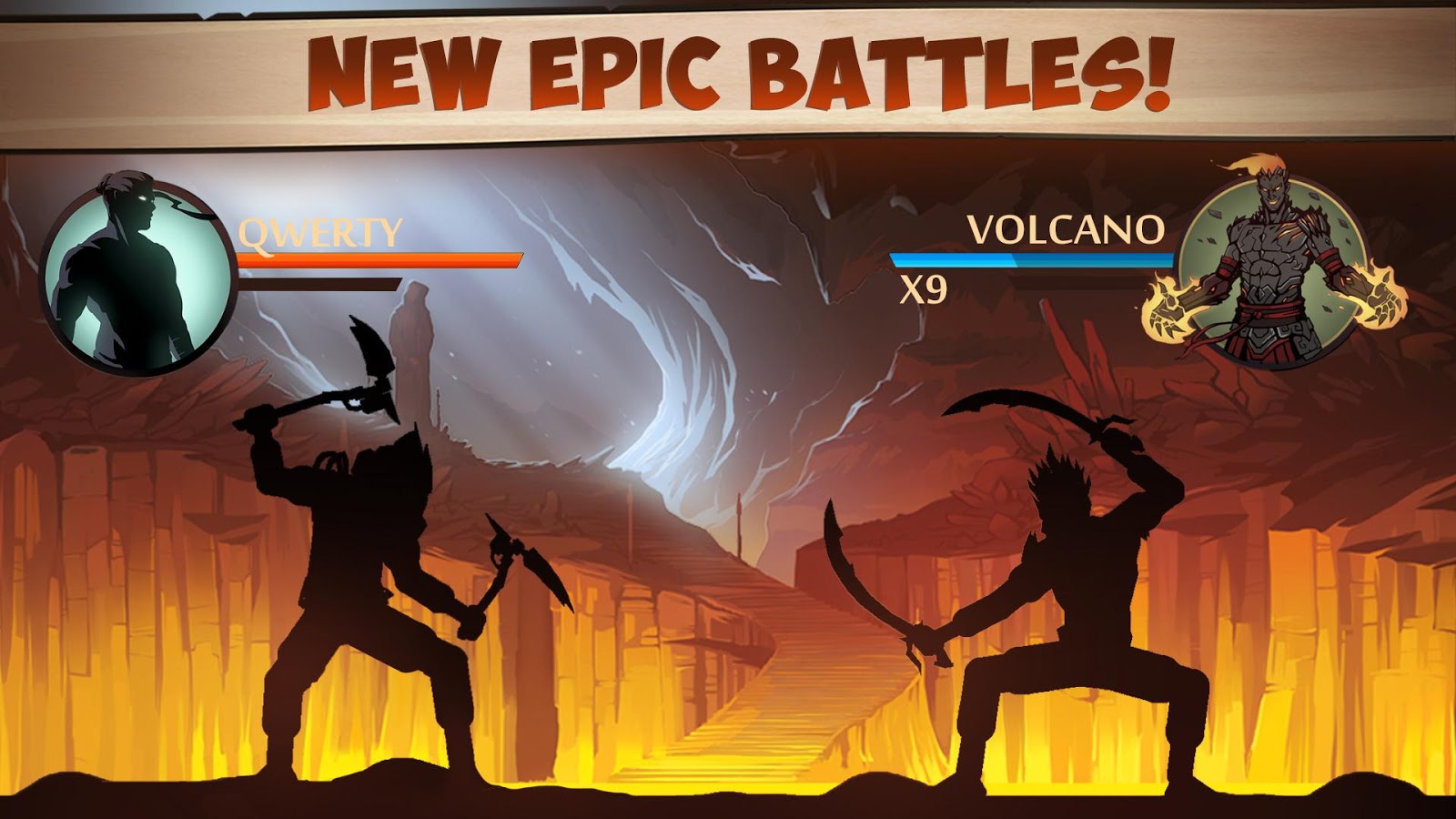
Shadow Fight 2 is a nail-biting mix of RPG and classical Fighting.
This game lets you equip your character with countless lethal weapons
and rare armor sets, and features dozens of lifelike-animated Martial
Arts techniques! Crush your enemies, humiliate demon bosses, and be the
one to close the Gate of Shadows. Do you have what it takes to kick,
punch, jump, and slash your way to victory? There’s only one way to find
out.- Plunge into epic combat sequences, rendered in astonishingly lifelike detail by an
all-new animation system.
- Devastate your enemies with delightfully intuitive controls, thanks to an all-new
fighting interface designed especially for touchscreens.
- Journey through six different worlds full of menacing demons in this action-
packed, adrenaline-fueled combat RPG with an immersive, intriguing storyline.
- Customize your fighter with epic swords, nunchacku, armor suits, magical powers,
and more.
Shadow Fight 2. May the battle begin!
WHAT'S NEW
- New game mode: "Underworld" - fight epic bosses together with friends!
- League system:
Challenge others, become the best and win valuable prizes
New chapter in the story of the Shadow Fight 2 world
Daily unique tasks - finish them in the Underworld and receive a reward!
Raid Fights have a chat now - cooperate with your team
New shop section - Raid equipment: Become even stronger!
- Optimizations:
Fix issue related to losing progress
Compatibility with Android 6.0+
MOD INCLUDES
- Free Coins
- Free Gems
SCREENSHOTS

PLAY STORE : LINK
Monday, 18 April 2016
How to get Gesture Lockscreen on any Android device

In today's video i am going to be showing you'll how to gesture lock screen on any android device
REQUIREMENTS
- Xposed Framework Installed
- Rooted Android Device
- Gesture with custom shortcuts module : HERE
WATCH THIS VIDEO TO KNOW HOW
REFERENCE LINKS
Xposed framework Threads :
http://forum.xda-developers.com/showt...
http://forum.xda-developers.com/xpose...
http://www.xda-developers.com/xposed-...
Rooting Thread : http://forum.xda-developers.com/andro...
Moto G (4th gen) leak shows fingerprint reader on the front

Earlier this year we got a blurry look at the 2016 edition of the Moto G and it took this long to get a clearer view of the upcoming mid-ranger. You can clearly see the fingerprint that Lenovo SVP Chen Xudong promised.
The fingerprint is square-shaped and positioned on the front, it's not entirely clear if it works as a button or not. The official word from Lenovo is that all Moto-branded phones will have fingerprint readers and we saw the outline of one in a "Moto G4 Plus" leak, so perhaps were in for a more diversified lineup this year (instead of just the E/G/X trio).


The Moto G (3rd gen) was announced in July 2015 and with the slow trickle of leaks, I assume it will be a while before the 4th gen model is out.
Swipe for Facebook Pro 2.1.0 for Android

DESCRIPTION
Why sacrifice form or function when you can have both? Swipe for
Facebook is the best Facebook wrapper app out there, integrating the
lightweight Facebook website into a familiar user interface that is much
like the original Facebook app.
It's better in every single way. You'll feel it.
FEATURES
- Higher Customizations
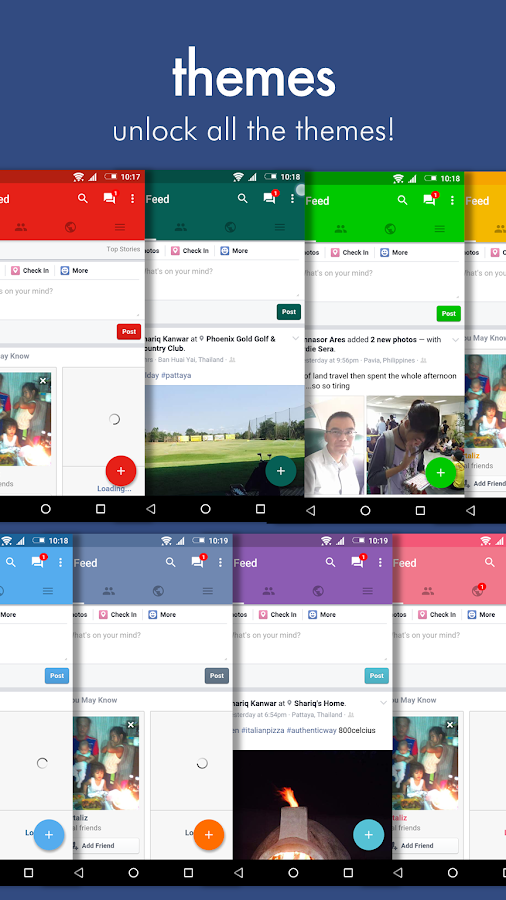
- More themes!
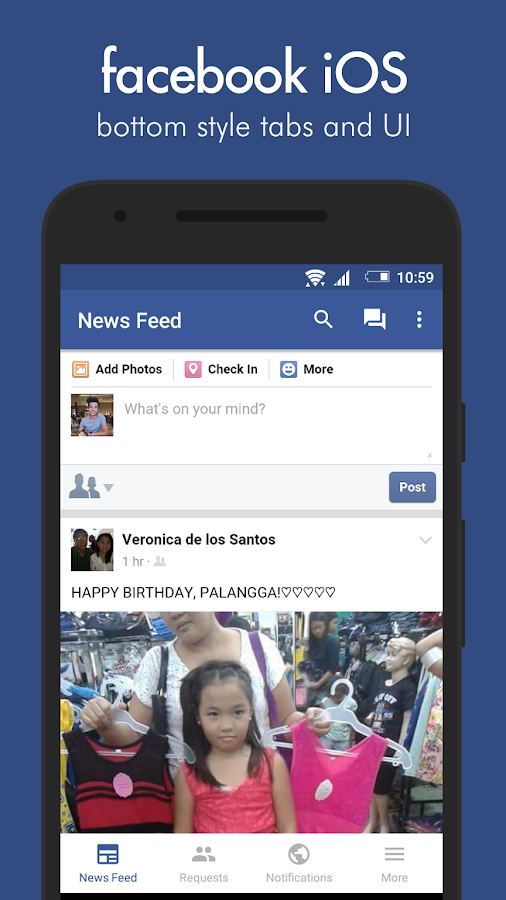
- Facebook iOS and Google Plus UI
- Quiet Hours (Do Not Disturb) - take control over your notifications!
- Power Saving Mode
- Retain Last Visited Pages
WHAT'S NEW
- Added the Messages Fix (HUGE credits to FaceSlim developer, Krysztof Grabowski)
- Enhanced 'Share This Page' - share links to even MORE apps!
- Added vibration permission to Swipe - allows notification vibration
- Added Enable Sounds and Enable Vibration to notification settings due to popular request
- Enhanced 'Share This Page' - share links to even MORE apps!
- Added vibration permission to Swipe - allows notification vibration
- Added Enable Sounds and Enable Vibration to notification settings due to popular request
SCREENSHOTS
PLAY STORE : LINK
Material Design Xposed Installer for Android

DESCRIPTION
Material designed Xposed Installer for Android
WHAT'S NEW
- Material Design!
- Navigation drawer
- Android 5.x+ zip downloader and installer !
- Import and export list of enabled/installed modules!
- Heads-up notification!
- Share module with your friends!
- Theme app as you like! (Color chooser in settings)
WHAT'S FIXED
- Scrolling while downloading causes crash thanks to @pyler
- Embedded images are not loaded
Q/A SECTION
Q: I can't install app!11!!!
A: Uninstall old app
Q: I want to translate this app in my language. How can I do?
A: Make a copy of this file and send the zipped version of translated file to the developer DVDandroid
Q: I cannot update module list. Why?
A: Clear app data
Q: "New version is available" is always shown. How fix this?
A: Wait few minutes or update app from first post
Q: I'm on Android 4.4.4. Can I install this apk?
A: Yes, but in next releases will be full support.
Q: Is it safe to install framework through this app?
A: Disclaimer: We are not responsible for any damaged devices / bricked devices / nuclear wars caused by using this method. I installed Xposed through my app with no problems. Before to install zip file, you have to choose carefully your device's architecture
Q: Hi. I'm on Android x.x and I have installed the framework with your app; now I'm in bootloop. How can I fix it?
A: You can download uninstaller from original Xposed thread and you can uninstall it via recovery.
SCREENSHOTS


DIRECT DOWNLOAD : LINK
How to Bypassing Nintendo Miitomo Root Check and Crash

As some may know Nintendo is not allowing their Miitomo app to run on Android phones with root.The app will crash immediately or shortly after launch.Now i am going to show you how to bypass this check.
Before starting.........You will require
- Xposed Framwork installed
- RootCloak
- MiitomoSecurityBypasser
INSTRUCTIONS
1. Reboot Your device after activating the modules (RootCloak and MiitomoSecurituBypasser in Xposed Framework)
2. Add Miitomo to RootCloak's list of cloaked apps
3. Enjoy Miitomo app without Root Check or Crash
DIRECT DOWNLOAD LINKS
XPOSED FRAMEWORK : LINK
ROOTCLOAK : LINK
MIITOMOSECURITYBYPASSER : LINK | MIRROR
MIITOMO APP : LINK
Android N to have pressure sensitive display support

Google is working on adding pressure sensitive touchscreen support in Android N. According to The Verge, who reached out to Google, the company confirmed that this will be baked into the OS due to demand from OEMs who want to implement the feature in their devices. Having an OS-level support means the manufacturers won't have to do it on their own (as Huawei does right now) and it will also have better support from third party developers.
The latest developer preview of Android N has a hint of this ability in the new "setDynamicShortcuts(List)" feature. With this, shortcuts on your homescreen will show additional functionality when you press on the display, similar to the iPhone 6s. It's not specific to pressure sensitive displays, however, so it could be invoked by other methods, such as a swipe down, on devices that don't have a pressure sensitive display.
Sunday, 17 April 2016
ViPER4Android Universal Fixer! | Fix V4A Problems on every Android Device

What does this MOD Do?
• Fix V4A/V4A Priority on audio_effect.conf
• Fix V4A/V4A Priority also on htc_audio_effects.conf
• Remove deep_buffer from audio_policy.conf To fix V4a Compatibility issues
• Sets SELinux Permissive on boot via su.d method
• Addon.d support, Makes V4a resistent to Rom OTA updates!
• Supports all Device/Roms and it's Complitely Safe!
INSTRUCTIONS
• Just flash the zip
What does this MOD doesn't Do
• Fix V4A not processing error
• Fix V4A Busybox errors
• Fix Drivers issues AFTER the installation
DIRECT DOWNLOAD : LINK
CREDITS : androidexpert35
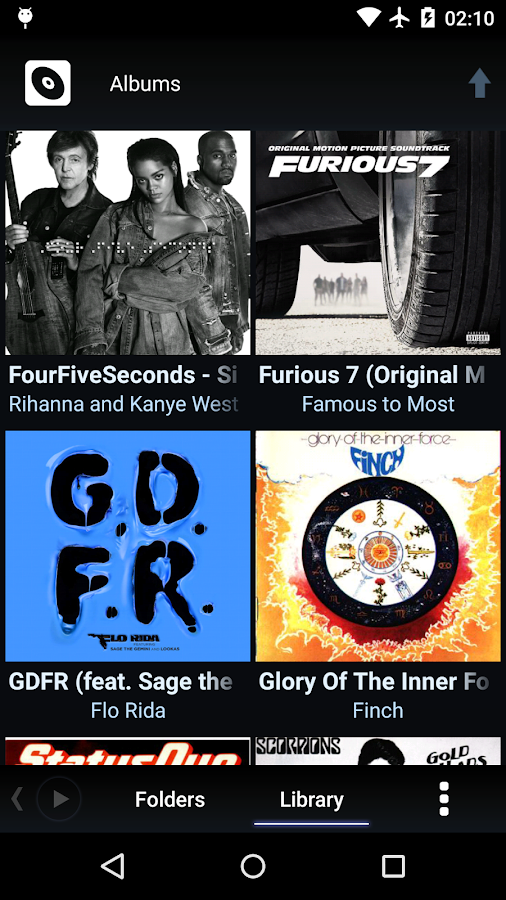
Poweramp Music Player 2.0.10 Build 586 for Android

DESCRIPTION
Poweramp is a powerful music player for Android.
FEATURES
- plays mp3, mp4/m4a (incl. alac), ogg, wma*, flac, wav, ape, wv, tta, mpc, aiff (* some wma pro files may require NEON support)
- 10 band optimized graphical equalizer for all supported formats, presets, custom presets
- separate powerful Bass and Treble adjustment
- stereo eXpansion, mono mixing, balance
- crossfade
- gapless
- replay gain
- plays songs from folders and from own library
- dynamic queue
- lyrics support, including lyrics search via musiXmatch plugin
- embed and standalone .cue files support
- support for m3u, m3u8, pls, wpl playlists
- OpenGL based cover art animation
- downloads missing album art
- custom visual themes, lot of skins available on Play
- 4 widget types with many selectable styles, advanced customization; Android 4.2 lock screen widgets
- configurable lock screen
- headset support, automatic Resume on headset and/or BT connection (can be disabled in settings)
- scrobbling
- tag editor
- fast library scan
- high level of customization via settings
Poweramp 2.x uses Direct Volume Control by default on 2.3+ mid-to-high end devices. On stock ROMs this produces much better audio output. But many custom/buggy ROMs, while supporting DVC, can fail with it.
WHAT'S NEW
- 588: album art downloading update
- 587: rebuilt with previous Android Build Tools version to fix UI language selection (Android 4.4-)
SCREENSHOTS

INSTRUCTIONS
1. Download the archive
2. Install PowerAMP APK
3. Install Unlocker APK
4. Open poweramp and close
5. Run lucky patcher > Custom patch > patch_ren.by.ramzezzz
6. Reboot
1. Download the archive
2. Install PowerAMP APK
3. Install Unlocker APK
4. Open poweramp and close
5. Run lucky patcher > Custom patch > patch_ren.by.ramzezzz
6. Reboot
DIRECT DOWNLOAD LINKS
X86 : LINK
ARM : LINK
ALPHA BUILD : LINK
How to Disable Xposed when stuck in Bootloop on Android Lollipop

Is your android device stuck on bootloop after enabling some xposed modules.Now i am going to show you how to fix this issue.Before starting you will need TWRP Recovery installed on your android device. For reference click here
INSTRUCTIONS
- Boot into Recovery (Power + Volume Down)
- TWRP > Advanced > Terminal command
- Create a file /data/data/de.robv.android.xposed.installer/conf/disabled, which causes Xposed to be bypassed:
Code:
touch /data/data/de.robv.android.xposed.installer/conf/disabled
6.4" Xiaomi Max front panel leaked - truly massive

Barely hours ago we told you about a future Xiaomi phablet, which after an online poll the company decided to name Xiaomi Max. Meanwhile a couple of photos have surfaced, and they seem to be coming straight from the production line.
The shots depict the device's front panel and it's nothing short of colossal. If we're still going to call it a phone, that is - as tablets go it's tiny.


Compact side bezels, capacitive keys on the chin, earpiece and sensor array - the panel looks very much in line with Xiaomi's design language. Unlike the current flagship Mi 5, though, there's no hardware home button with a fingerprint reader. Fret not though, as the sources say that such a sensor will be found on the back like with the Redmi Note 3 and the Mi 4s.
As far as specs go, it's only the Snapdragon 820 that seems to be settled on. Even the resolution of that huge display hasn't been revealed.
Announcement time frame is still unknown obviously, but the source does mention the month of May.
Alleged Motorola Moto G4 Plus leaks online

Moto G4 Plus pic.twitter.com/zPvlEkE2X5— Evan Blass (@evleaks) April 15, 2016
Sadly, nothing else - including specs, pricing, and availability - was revealed. However, it'd be safe to assume that the device will feature a fingerprint sensor given that an executive from Lenovo (which owns Motorola Mobility) had earlier this year revealed that the 2016 Moto line-up will come with an embedded fingerprint sensor.
The leak comes less than a couple of weeks after a device dubbed Moto X3 featuring a 5-inch display was spotted on India's import-export website Zauba.
Friday, 15 April 2016
ElementalX Kernel for Nexus 6P (Marshmallow and Android N)

DESCRIPTION
ElementalX is like the stock kernel by default, but allows you to change almost anything you want.
ElementalX is designed for maximum stability. It is made for people who depend on their phone every day.
ElementalX is simple and clean. It does not have useless kernel patches or make dangerous or experimental changes to your phone that cause weird or inexplicable problems.
ElementalX has useful and well-tested features that make your phone better.
FEATURES
- Easy installation and setup with Aroma installer
- Wake Gestures (sweep2wake and doubletap2wake)
- Sweep2sleep
- Overclock or underclock CPU
- Advanced color control (RGB, Saturation, Value, Contrast, Hue)
- Sound control (headphones, speaker and mic)
- Backlight dimmer option
- High Brightness Mode option
- Option to disable touchboost
- NTFS r/w and exFAT support
- Option to disable fsync
- Adjustable vibration
- MultiROM support
- Does not force encryption
- Does not modify system partition
- Compatible with systemless root and Android Pay
INSTRUCTIONS
1. Flash in recovery
// For maximum compatibility with all ROMs, ElementalX uses your existing ramdisk.
Do NOT flash this over other custom kernels!You should only flash ElementalX over the kernel that came with your ROM!!! //
NOTE: If your camera force closes after installation, please wipe cache and Dalvik cache
DIRECT DOWNLOAD : LINK
Huawei P9 Max may have been spotted in a benchmark rocking a 6.9-inch screen

Huawei has already introduced three members of the P9 family, the 'vanilla' P9, the P9 Plus, and the P9 Lite. However, there may actually be a fourth one coming soon, a P9 Max to act as the successor to the P8max from last year.
As such, you'd expect it to sport a huge touchscreen, and if the unknown Huawei device spotted in the GFXBench database actually turns out to be the P9 Max, then it definitely won't disappoint.

It's got a 6.9-inch 1080p display, a 16 MP rear camera, an 8 MP selfie snapper, 3GB of RAM, and 32GB of built-in storage. It runs Android 6.0 Marshmallow of course.
The chipset that this phablet employs is Huawei's own HiSilicon Kirin 950, first seen on the Mate 8. Interestingly though, it's not the newer Kirin 955 that's inside the P9 and P9 Plus. So the P9 Max, if this is it, and if it ever becomes official, will be just a tad lower-end than those two devices. For what it's worth, it still trumps the P9 Lite in terms of specs.
Thursday, 14 April 2016
Metal Pro (Material designed facebook app) for Android

DESCRIPTION
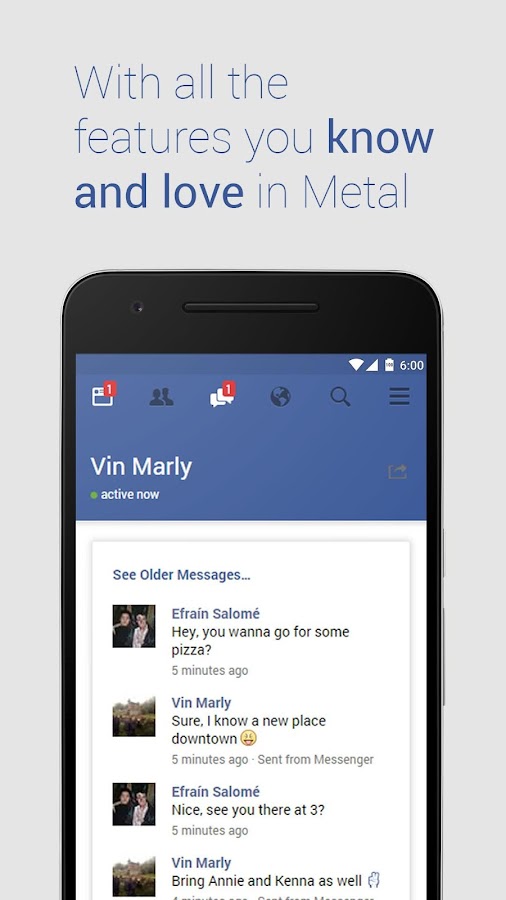
Your Facebook app should work for you. It should be light, functional and beautiful. It should look how you want it to be accessible everywhere, with lightning fast launch speeds. Metal Pro does this. And more...
And now it supports Twitter, too. Two social networks, one tiny app.
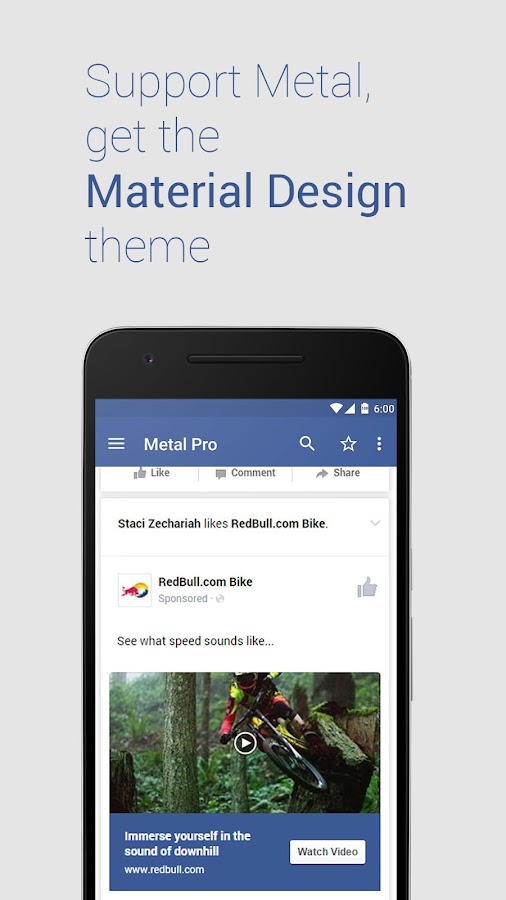
Metal Pro is a web wrapper, with a distinctive Material Design theme that makes browsing your favorite social network a delight.
MATERIAL DESIGN
Browse intuitively, with a design that's easy on the eyes and makes sense. Enable the Material Design theme in Settings
METAL BAR + METAL EVERYWHERE
Access your messages, news feed and notifications from any app, with a tap and a swipe. Swipe down the notifications bar and tap an icon. Metal Everywhere opens, allowing you to browse in a floating window, while you wait for a game to load or a photo to download.
COMPLETELY AD-FREE
Metal is for you, forever. No ads, anywhere (unlike some other clients). It keeps your data usage low and your experience the best possible.
(Facebook may offer you sponsored content as part of your feed)
FIXED TOOLBAR & FULL SCREEN MODE
More content, less distractions. Browse with ease using Metal's enhancements.
NOTIFICATIONS
Get notified from those you care about. Easy to set up and easy to use.
THEMES & DARK MODE
Your choice. Dark mode makes everything dark. Or use White, a flat and beautiful theme. Or use the default Facebook Blue.
ALL YOUR FAVORITE FEATURES
It's light (Under 2MB), supports data-saving features and Orbot/Tor. Based on the amazing Tinfoil for Facebook
WHAT'S NEW
- Upload images directly from your gallery. Use your favorite app to share pictures, and Metal will appear as an option.
- Fixes for notifications force closing and Marshmallow permissions
SCREENSHOTS


PLAY STORE : LINK
ZUK teases new phone, Most likely the Z2 Pro

A teaser image of a new ZUK smartphone was released by the Chinese company's CEO Chang Cheng. The image shows a black-colored sleek-looking phone with what looks like a 2.5D curved display. On the back is a camera sensor, dual tone LED flash, and an apparent laser auto-focus module.

The image - which was shared on Weibo - also had an accompanying text that read: Tremble xx5, x9, xxx6. So, without directly naming the Xiaomi Mi 5, Huawei P9, and the Meizu Pro 6, Cheng is claiming that the upcoming ZUK phone is a better alternative.
Cheng recently revealed that the Lenovo-backed company will launch a new smartphone on April 21, so it'd be reasonable to assume that the phone shown in the teaser is that particular device. Although he didn't reveal anything else about the handset, rumors say it'd be the Z2 Pro.
As rumors have it, the Z2 Pro will be powered by Snapdragon 820 SoC, and sport a full HD display. Storage will be 32GB, with RAM either 3GB or 4GB. The phone will have 13MP/5MP camera combo and run Android 6.0.1 out of the box.
How to Flash Recovery Using Adb Tools on Redmi 1s

REQUIRED STUFF
- Xiaomi usb drivers
- ADB drivers
- TWRP recovery
INSTRUCTIONS
1. Install xiaomi usb drivers
2. Extract adb drivers anywhere in your computer
3. Copy recovery.img ( renamed it to only recovery) into adb tools folder
4. Boot your phone into fastboot mode by pressing volume down key and pressing power key simultaneously , and then releasing power key .
5. Connect your redmi 1s to your computer through data cable
6. Go into adb tools folder => while pressing shift key => right click => and click open cmd here !
7. Type fastboot flash recovery recovery.img and press enter //IGNORE If Mismatched partition size' AFTER FLASHING RECOVERY is shown //
DOWNLOAD LINKS
USB DRIVERS : LINK
ADB DRIVERS : LINK
TWRP RECOVERY : LINK
Dream Machine – The Game for Android MOD + NORMAL APK

DESCRIPTION
Escape a cold, inhumane factory and free yourself into a mind-blowing fantasy world.Manipulate fantastical machinery and solve the many mysterious optical illusions that lie in wait. Use all your ability to survive hazardous levels and fight epic boss battles. Guide your mechanical friend from an oppressive workplace and lead them to freedom.
Is it real or simply an illusion? Drift into the dream of the machine and find the truth.
- Visually Stunning & Pleasant to Play
Amazingly beautiful hand-crafted levels, containing 3D puzzles, impossible geometry and optical illusions. Dream Machine is easy to pick up and play but hard to put down.
- Boss Battles
Fight against your oppressors in daring boss battles. Use all your skill and brainpower to defeat the monsters from this mechanical dream.
- Replayability & Upgrades
Beat your best level completion times to earn Cogs. These allow you to upgrade your mechanical friend, achieve better times and climb Dream Machine’s competitive worldwide leaderboard.
- Hazardous Levels
Exercise your intellect to solve illusional puzzles and use your expertise to stay alive.
WHATS NEW
- The Android back button now exits the game
MOD INCLUDES
- Mod Money (Spend)
SCREENSHOT




DIRECT DOWNLOAD [MOD] : LINK | MIRROR 1 | MIRROR 2
DIRECT DOWNLOAD [NORMAL] : LINK | MIRROR 1 | MIRROR 2
PLAY STORE : LINK
How to Install Remix OS on Nexus 9 and Nexus 10
DESCRIPTION
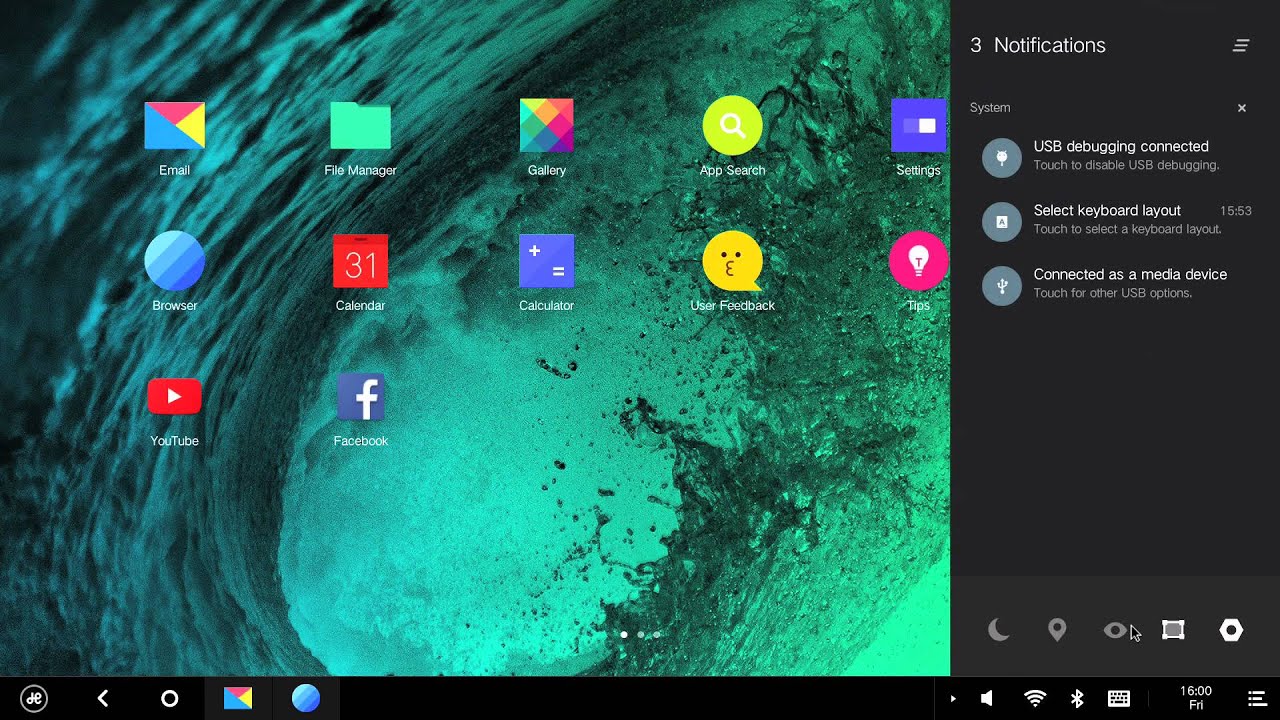
Remix OS 2.0 brings a PC experience unlike anything on Android and an Android experience unlike anything on a PC.
Engineered to bring you the best of both worlds – the harmonious fusion of a mobile and desktop experience, Desktop gives you access to important folders and shortcuts of most frequently used applications so you can focus on what you create rather than where to look for it.
Notifications and Taskbar have been given a complete makeover as well. With additional horizontal real estate, Notifications appears from the right side of your desktop. Complete with a Start Menu and System Tray, Taskbar allows you to find and start all your apps from one location on one side while managing everyday system settings and connectivity on the other.
Disclaimer: Flashing Remix OS ROM on Nexus 9 and 10 requires strong Android knowledge. Flashing this ROM on Nexus 9 and 10 will be at your own risk. You will have to bear responsibility for all the resulting consequences. Jide and androcontent will NOT be responsible for any damage caused.
Please backup your tablet data prior to flashing Remix OS 2.0. The factory image of Nexus 9 and 10 is based on Android 5.1.1. You can download the factory image here
INSTRUCTIONS
STEP 1: Installing adb tool : HERE
(If your computer already has adb tool, you can skip this step and go to step 2.)
- Download ADB-Fastboot tool and configure adb tool by following the instructions below.
- Verify adb tool configuration.
- Open Start Menu and enter cmd in Search. See below.
- Verify your PC sees the device by typing adb. If a series of demands show up on the screen, it indicates that the installation is successful.
STEP 2: Installing image files using fastboot
- Create a folder under C:\ and name it C:\ADB.
- Download image and place it in C:\ADB.
- Open cmd window and type CD /ADB.
- Connect the Nexus 9 and 10 to the computer via USB.
- Open a terminal on your PC and reboot the device into fastboot mode by typing adb reboot bootloader.
- Flash images onto your device by entering the following five commands:
- fastboot flash recovery recovery.img
- fastboot flash boot boot.img
- fastboot flash system system.img
- fastboot flash cache cache.img
- fastboot flash userdata userdata.img
- Clean the existing data by entering the following command:
> fastboot -w
- Once the flash completes successfully, run the following command to reboot the device into recovery to verify the installation. It might take a while. Please wait patiently. Do not force shutdown the device.
> fastboot reboot
SCREENSHOTS

DOWNLOAD LINKS
REMIX OS 2.0 [NEXUS 9] : DOWNLOAD
REMIX OS 2.0 [NEXUS 10] : DOWNLOAD
Android N Developer Preview 2 Finally Available!

Android N’s 2nd Developer Preview is now out for eligible Nexus devices. This developer preview is a culmination of feedback effort from developers, and as such, has ironed out a few bugs:
- Not being able to connect to hidden Wi-Fi networks (AOSP 203116)
- Multiwindow pauses (AOSP 203424)
- Direct Reply closing an open activity (AOSP 204411)
- Introduction and integration of Vulkan API for 3D rendering
- Launcher shortcuts on the default launcher: Shortcuts help perform specific actions quicker by providing easier access. Shortcuts contain an Intent for specific actions in the app, and providing these actions on the homescreen will improve UX by removing repetitive taps.
- Emoji Unicode 9 Support: The update now includes a People emoji which favors a more human-looking design, as well as adds in support for skin tone variations and Unicode 9 glyphs.

- API Changes: The Dev Preview update also contains refinements to previously introduced API’s. An example given is for Multi Window support, though you can find the other refinements by taking a look at the diff reports in the downloadable API reference package.

The Android N Second Developer Preview is currently available for the Nexus 6, Nexus 5X, Nexus 6P, Nexus 9, Pixel C and General Mobile 4G (Android One). Update to the Nexus Player will come in a few days. This and all other Developer Previews are intended for developers to use and test their apps on. They are not optimized for battery and performance, and as such, are not recommended as daily drivers.
Subscribe to:
Posts
(
Atom
)